6
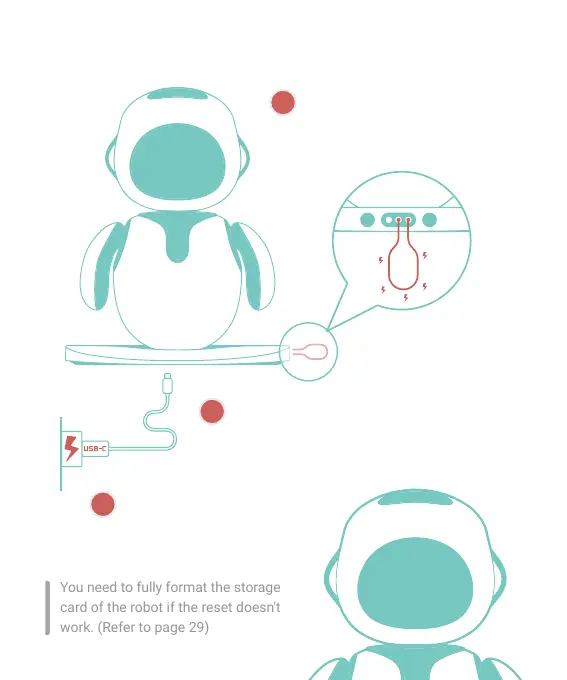
1.5 Reset the robot if it gets no response after an update
Connect the second and the third
FLAT metal pins on the base of the
robot with METAL/CONDUCTIVE
materials.
Keep the short-circuiting state, and then plug the
USB cable (which needs to be connected to the
power supply) into the robot.
After resetting, a pop-up ERROR
interface indicates that you can
start the update again.
You need to fully format the storage
card of the robot if the reset doesn't
work. (Refer to page 29)
ERROR!
MISSING FIRMWARE
PLEASE CONNECT USB
TO UPDATE
1
2
3



 To Next Page