2
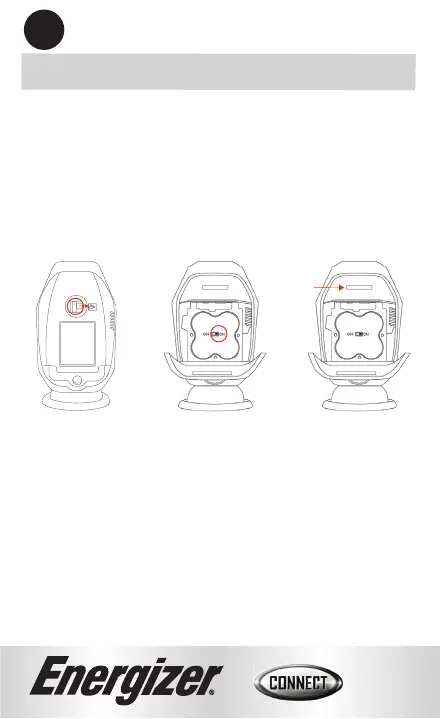
Set Up Camera:
1. Slide the latch of the baמּery compartment to the right.
2. Optional: Insert microSD card (not included) into
microSD card slot, supports max to 128GB.
3. Turn the baמּery power switch to the ON position.
4. Close the baמּery door. The camera will now finish
booting up, and the indicator light will begin to blink
red (page 4). If the indicator light is not blinking red,
please reset. (see page 14 for troubleshooting)
2
microSD
Card Slot
Step 1
Step 2 Step 3


 To Next Page