It is recommended to first pair the camera indoors,
close to your router.
4
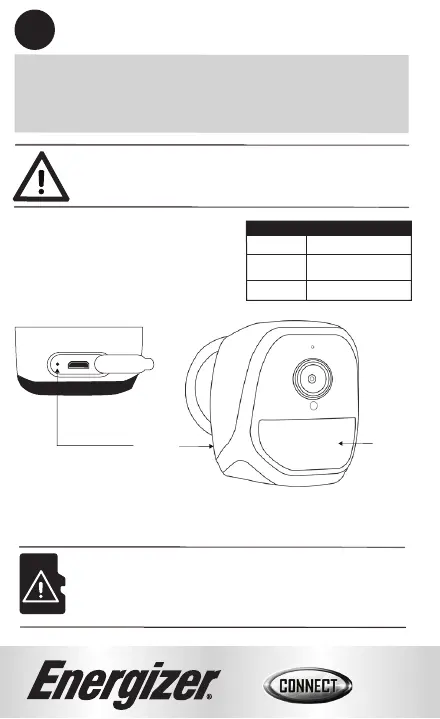
Note: The indicator light on the camera should start
blinking red for pairing mode.
4
Indicator
Light*
*You may need to remove the protective plastic to see the
indicator flashing.
Indicator Light
Blinking Red
Blinking Green
Solid Green
Pairing Mode
Waking Up/Detecting
Motion
Awake
Note: We recommend inserting the microSD card (not
included) before mounting the camera.
Reset
Pinhole
(Behind Silicone
Cover)


 To Next Page