Next Step
6
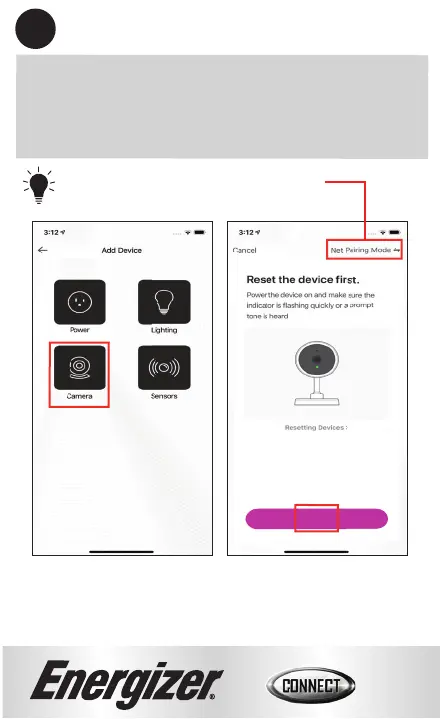
Select the “Camera” category and confirm you can still
see the red indicator light blinking through the front
of the camera.
Confirm that the indicator light is
rapidly blinking, then click “Next Step”.
Tip: This is for switching between
pairing modes.
6
Refer to troubleshoot on page 14 for reset
instructions if device is not in pairing mode.


 To Next Page