EasyManua.ls Logo

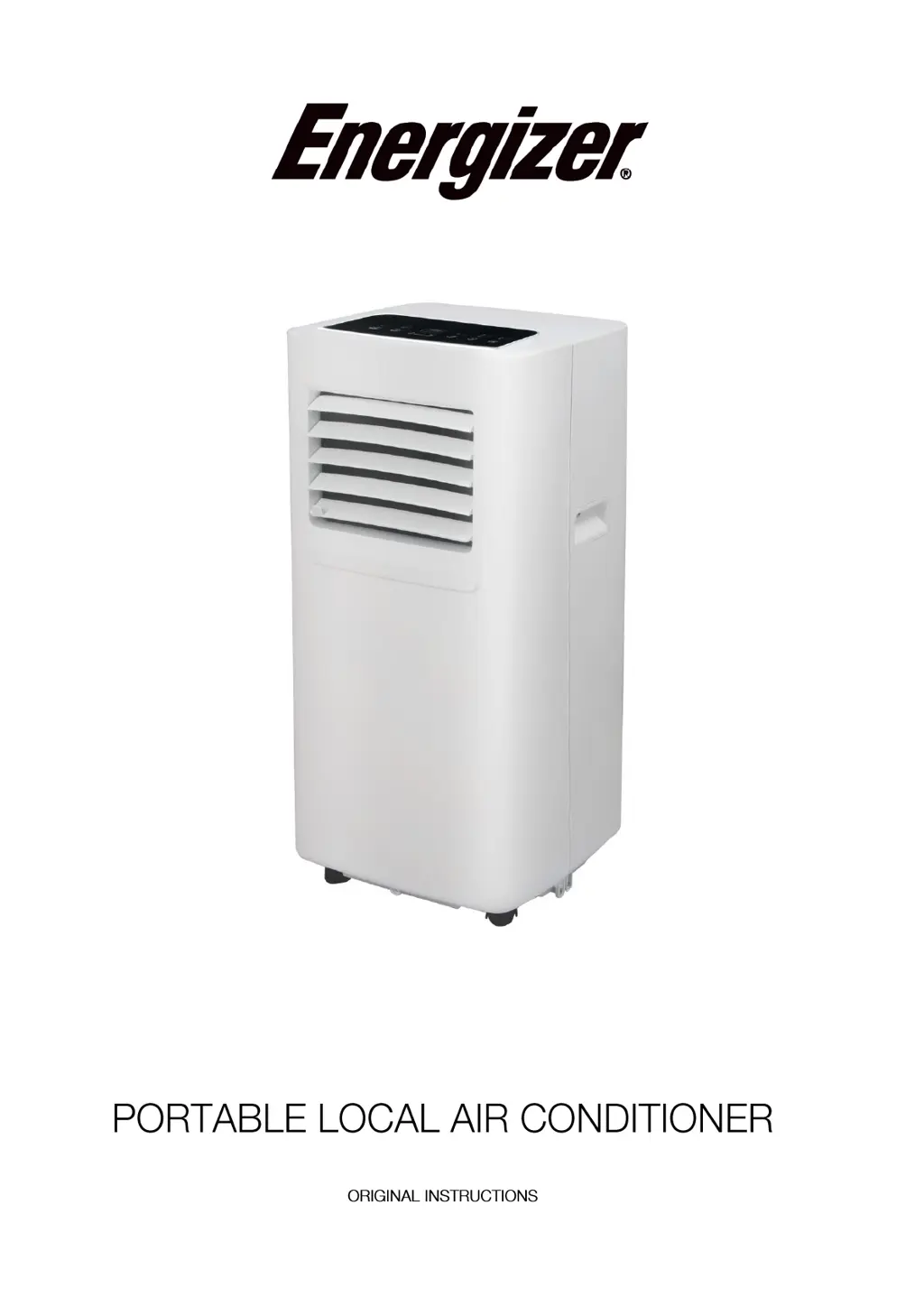
Energizer EZCP7000 - User Manual

Energizer EZCP7000
48 pages
Print Icon
To Next Page IconTo Next Page
Loading...
EZCP7000

Questions and Answers

  • K
    Kelly ColeAug 12, 2025
    How to improve cooling effect of Energizer EZCP7000 Air Conditioner?
    • A
      awhiteAug 12, 2025
      If your Energizer Air Conditioner isn't cooling well, consider these factors: * **Sunlight:** Direct sunlight can impact cooling. Pull the curtain to block sunlight. * **Openings and Heat Sources:** Open doors or windows, a crowded room, or other heat sources can reduce cooling efficiency. Close doors and windows and consider adding another air conditioning unit. * **Dirty Filter:** A dirty filter screen can restrict airflow. Clean or replace the filter screen. * **Blocked Airflow:** Obstructions at the air inlet or outlet can hinder cooling. Clear any obstructions.
  • D
    Diane WatsonAug 18, 2025
    Why is my Energizer EZCP7000 Air Conditioner making a big noise?
    • W
      william52Aug 18, 2025
      If your Energizer Air Conditioner is making a lot of noise, it might not be placed on a flat surface. Try placing it on a flat and hard surface to reduce the noise.
  • F
    fernandezamberAug 26, 2025
    What does 'E1' mean on my Energizer EZCP7000?
    • C
      Cindy KellyAug 26, 2025
      If your Energizer Air Conditioner displays 'E1', it indicates an issue with the room temperature sensor. You should check the room temperature sensor and related circuitry.
  • H
    Hannah RichardsAug 30, 2025
    What does 'E2' error mean on Energizer Air Conditioner?
    • T
      Tyler FloresAug 30, 2025
      If your Energizer Air Conditioner displays 'E2', it means there is an abnormality with the pipe temperature sensor. Check the pipe temperature sensor and related circuitry.
  • L
    lambertjenniferNov 6, 2025
    Why my Energizer EZCP7000 does not work?
    • C
      Carly RichardsNov 6, 2025
      If your Energizer Air Conditioner isn't working, there could be several reasons: 1. **No Electricity:** Ensure the unit is properly connected to a working electrical socket. 2. **Water-Full Indicator:** If this indicator is flashing, you need to discharge the water inside the unit. 3. **Temperature Issues:** The unit should be used between 7-35°C (44-95°F). If the ambient temperature is too low or too high, it may not function correctly. 4. **Incorrect Settings:** In cooling mode, the room temperature should not be lower than the set temperature. In heating mode, the room temperature should not be higher than the set temperature. Adjust the set temperature accordingly. 5. **Dehumidification Mode:** If the ambient temperature is below 17°C (62°F) in dehumidification mode, the unit may...

Summary

ATTENTION

Warning

Essential safety warnings and precautions for operating the appliance.

Information on servicing

Checks to the area

Safety checks required for the area before servicing the unit.

Work procedure

Recommended work procedures for safe servicing operations.

General work area

Guidelines for preparing and securing the general work area.

Checking for presence of refrigerant

Procedures for checking for refrigerant presence in the work area.

Presence of fire extinguisher

Requirement to have appropriate fire extinguishing equipment ready.

No ignition sources

Strict avoidance of ignition sources during servicing.

Ventilated area

Ensuring adequate ventilation during all servicing stages.

Checks to the refrigeration equipment

Verifying the condition of refrigeration equipment before maintenance.

Checks to electrical devices

Safety checks for electrical components during maintenance.

Repairs to sealed components

Repair to intrinsically safe components

Cabling

Detection of flammable refrigerants

Leak detection methods

Removal and evacuation

Charging procedures

Decommissioning

Labeling

Recovery

Transportation, marking and storage for units

Transport of equipment containing flammable refrigerants

Compliance with regulations for transporting the unit.

Marking of equipment using signs

Guidelines for marking the unit with necessary signs.

Disposal of equipment using flammable refrigerants

Procedures for proper disposal of the unit.

Storage of equipment;appliances

Instructions for the proper storage of the unit.

Storage of packed (unsold) equipment

Recommendations for storing packaged units.

FEATURES AND COMPONENTS

Features

Overview of the main features and functionalities of the unit.

Components

Identification and description of the unit's components.

CONTROL SETTING

Control panel operation instructions

Detailed instructions for operating the control panel.

PROTECTION FUNCTION

Operating instructions of remote control

Guide to operating the air conditioner using the remote control.

Frost Protection Function

Explanation of the unit's frost protection mechanism.

Overflow Protection Function

How the unit handles overflow situations.

INSTALLATION AND ADJUSTMENT

Automatic Defrosting

Details on the automatic defrosting feature.

Overheat Protection

Information on the unit's overheat protection system.

Protection Function of the Compressor

Compressor protection functions for longevity.

Installation

Step-by-step guide for installing the air conditioner.

DRAINAGE INSTRUCTIONS

Manual drainage

Instructions for performing manual drainage of the unit.

MAINTENANCE

Cleaning

Procedures for cleaning the air conditioner and its filters.

UNIT STORAGE

TROUBLESHOOTING

ADDENDUM

Schematic diagram for air conditioning

A visual representation of the air conditioning system.

WARRANTY

Energizer EZCP7000 Specifications

General IconGeneral
BrandEnergizer
ModelEZCP7000
CategoryAir Conditioner
LanguageEnglish