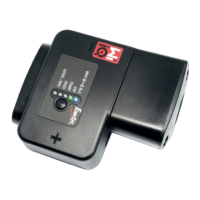
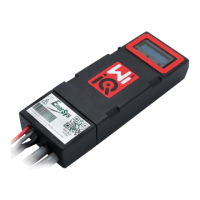
4. Installation
Carefullyfollowtheinstallationprocedureasdescribedbelow.
4.1 Make sure the cables are not connected to the battery
before proceeding to the assembly.
4.2 Remove the current sensor protective cover and the cable
clamp from the main unit.
Cableclamp
Protective cover
O-ring
CAUTION: there is an O-ring seal between the Wi-iQ3 main
unit and the protective cover.
Make sure the O-ring is still
properly located in the main unit when assembling the
current sensor.
4.3 Insert the NEGATIVE battery cable in the current sensor.
CAUTION:makesuretoproperlyorientatethebatterycable
duringassemblyonthecurrentsensor(refertotheIDdecal
on the current sensor).
Thebatteryplugshallbelocatedon
thissideofthesensor.
Thebatteryshallbelocated
onthissideofthesensor.
IDdecalofcurrentsensor
4.4 Press the NEGATIVE cable on the pins.
Presscarefullyandperpendicularlythecableonthepins.
CAUTION:thecableshallbepressedcarefullyagainstthepins
perpendicularlytoavoidbendingthepins.
4.5 Assemble the current sensor on the main unit (torque
1.5Nm±0.1). Make sure to use the appropriate screws
(delivered with the current sensor).
Current sensor
14mmscrews
Towardsthebattery
Towards
theplug
CAUTION: using inappropriate screws (type and length) may
damagetheproductandimpactitsreliability.
4.6 Press the POSITIVE cable on the pins.
Presscarefullyandperpendicularly
thecableonthepins.
CAUTION:
thecableshallbepressedcarefullyagainstthepins
perpendicularlytoavoidbendingthepins.


 To Next Page
 Loading...