USER GUIDE
PAGE 5
The V‐Series Footboard System
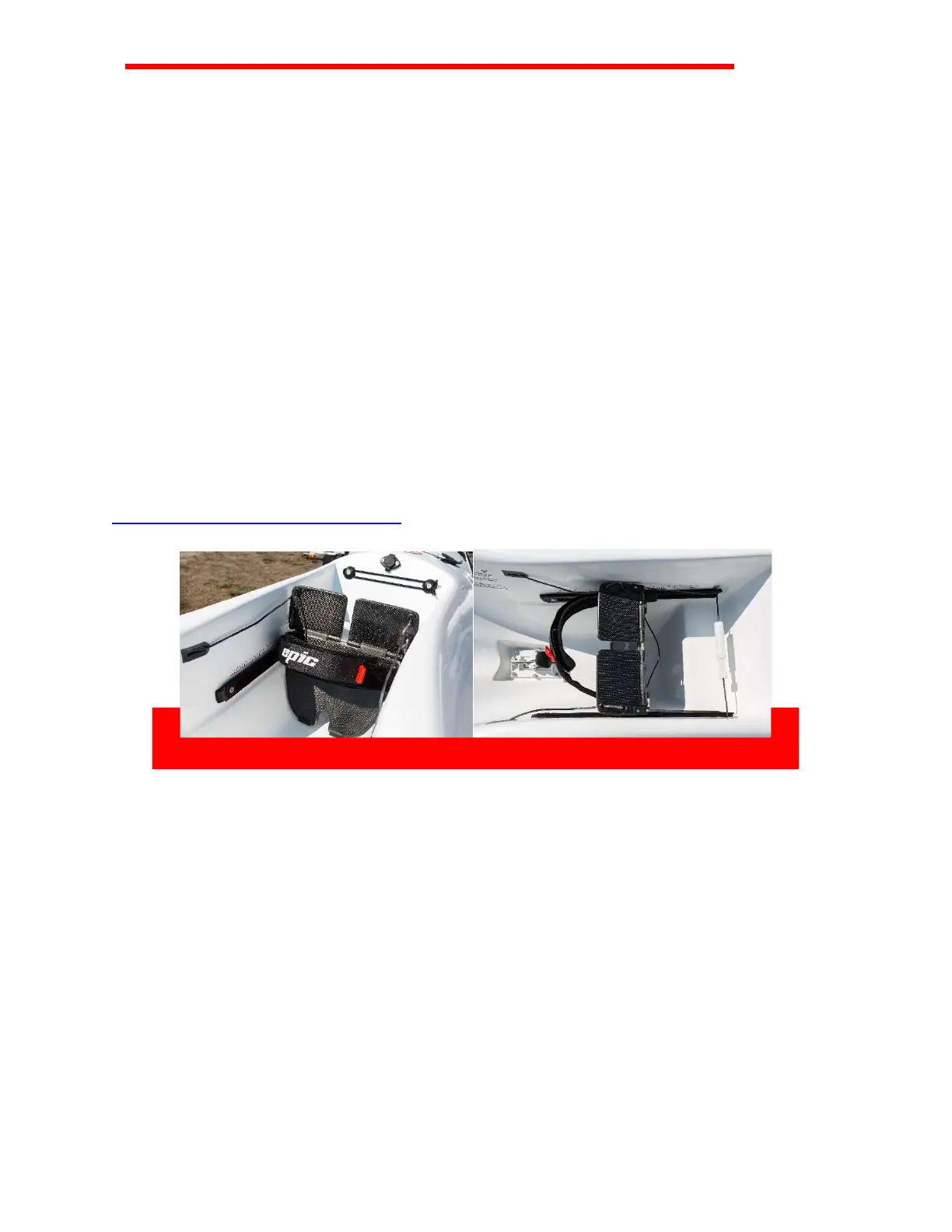
The V‐Series footboard system (photo 1) has been designed to enhance leg drive and
body rotation for an optimal forward stroke. The carbon fiber footboard fits across the
width of the single footwell, giving paddlers the luxury of comfortably centering both
feet and knees. A centered foot and knee position allows better leg movement and full
rotation for a more comfortable, powerful and efficient forward stroke.
The V‐Series footboard system is fully adjustable. We recommend you initially set the
footboard to your desired setting on land, or in calm shallow water, while protecting
the rudder. This will allow you to get in and out if necessary, and easily make
adjustments in a safe environment. Once set to the desired length, the footboard
remains locked in position.
Two pedals on top of the footboard operate the rudder at the back of the ski. This
provides a solid platform to brace your legs, while still allowing you to control the
rudder with your toes.
See our FAQ page for videos on how to set up your new Surfski
https://www.epickayaks.com/faq
Photo 1. V‐Series footboard system
Photo 2. V‐Series back side of footboard system, dyneema cord and pins to adjust
length
Footboard Operation
The footboard runs on two rails which are attached to either side of the footwell (photo
2). The rails have notched holes that catch pins coming from the back of the footboard.
Follow the procedure below to adjust the settings of your footboard:
1. Reach behind the footboard and grasp the dyneema cord running the length of
the backside.
2. Pull on the cord to release the pins that set the footboard in the rails.


 To Next Page
 Loading...