EN
To be able to customize your key layouts, RGB, macros,
and other functions in your Epomaker Alice you can use the
VIA Software with the use of a JSON File.
1. Unzip the file to find the .exe and .json files.
2. Install the .exe file in your computer.
3. Run the VIA software once installed.
4. Import the JSON file to be able to edit the Epomaker Alice settings inside VIA.
Instructions to install on Windows:
1. Unzip the file to find the .exe and .json files.
2. Unpack the .dmg file
3. Drag the VIA software to your applications folder to install it.
4. Authorize the VIA software in: System Preferences > Security & Privacy.
Instructions to install on macOS:
Download the Software at: https://epomaker.com/blogs/qmk-via/epomaker-alice-via-json-file
1. Unplug the cable of the keyboard.
2. Press the ESC and hold it.
3. Plug in the cable to connect the computer and keyboard, do NOT release the ESC key until the
cable is plugged into both computer and the keyboard.
4. Release the ESC key
5. Wait until the computer completes the setup for USB, now the keyboard won’t respond to the
key pressing, and a window of USB folder might pop up on the screen.
6. Eject the USB from the computer.
7. Re-plug the cable to connect the keyboard with the computer.
8. Wait a few seconds until the backlights are on.
FACTORY RESET
STRUCTURE:
Gasket-mount
STABILIZERTYPE:
Plate-mounted
PCBTYPE:
3/5-pin Hotswap PCB
KEYSAMOUNT: 69Keys
ANTI-GHOSTKEY:
NKRO
COMPATIBILITY:
WINDOWS/MAC
CONNECTIVITY:
Type-CWired
SOFTWARE:
VIA/QMK Compatible
DIMENSION:
327*170*30mm
WEIGHT: Around0.8kg
SPECS
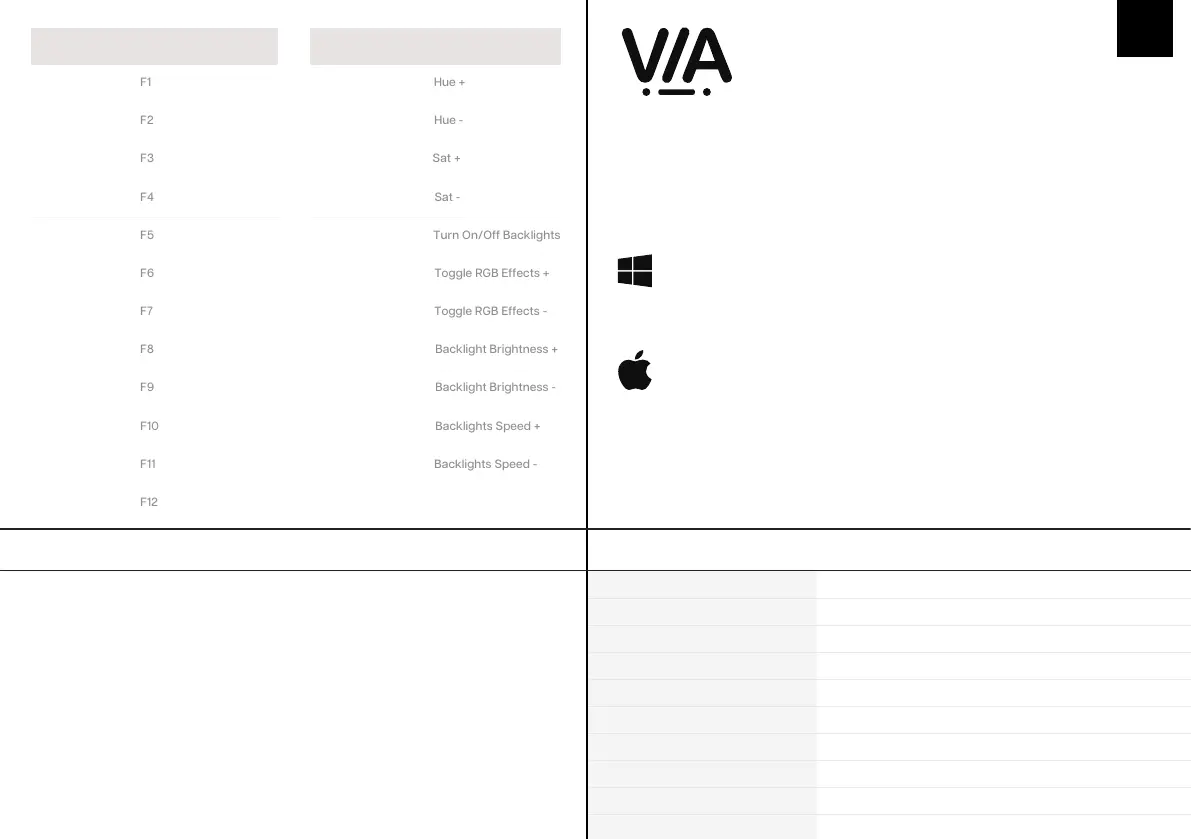
LIGHT EFFECTS
Fn + S
Fn + D
Fn + F
Fn + G
Fn + Z
Fn + X
Fn + C
Fn + V
Fn + B (Left)
Fn + B (Right)
Fn + N
1. Unzip the file to find the .exe and .json files.
2. Install the .exe file in your computer.
3. Run the VIA software once installed.
4. Import the JSON file to be able to edit the Mini Cat 64 settings inside VIA.
1. Unzip the file to find the .exe and .json files.
2. Unpack the .dmg file
3. Drag the VIA software to your applications folder to install it.
4. Authorize the VIA software in: System Preferences > Security & Privacy.
5. Import the JSON file to be able to edit the Mini Cat 64 settings inside VIA.
5. Import the JSON file to be able to edit the Epomaker Alice settings inside VIA.
Fn + 1
Fn + 2
Fn + 3
Fn + 4
Fn + 5
Fn + 6
Fn + 7
Fn + 8
Fn + 9
Fn + 0
Fn + -
Fn + =
SHORTCUTS


 To Next Page