Update to Your Manual
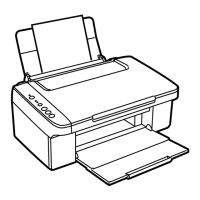
If a document misfeeds in the Automatic Document Feeder (ADF) when scanning
it, open the ADF cover and pull the paper out to the left as shown.
Caution:
Do not try to remove the paper without opening the cover first, or you could damage
the mechanism.
Mise à jour de votre guide de l’utilisateur
Si un document s’alimente mal dans l’alimenteur automatique de documents lors
de la numérisation, ouvrez le couvercle de l’alimenteur automatique et dégagez le
papier en tirant vers la gauche tel qu’illustré ci-dessus.
Mise en garde :
Ne tentez pas de retirer le papier sans ouvrir le couvercle d’abord, car vous risqueriez
ainsi d’endommager le mécanisme de l’appareil.
CPD-24674
© 2007 Epson America, Inc. 8/07
Printed in Indonesia XX.XX-XX
Pays d’impression : Indonésie



 Need help?
 General