Installation Guide
13
d
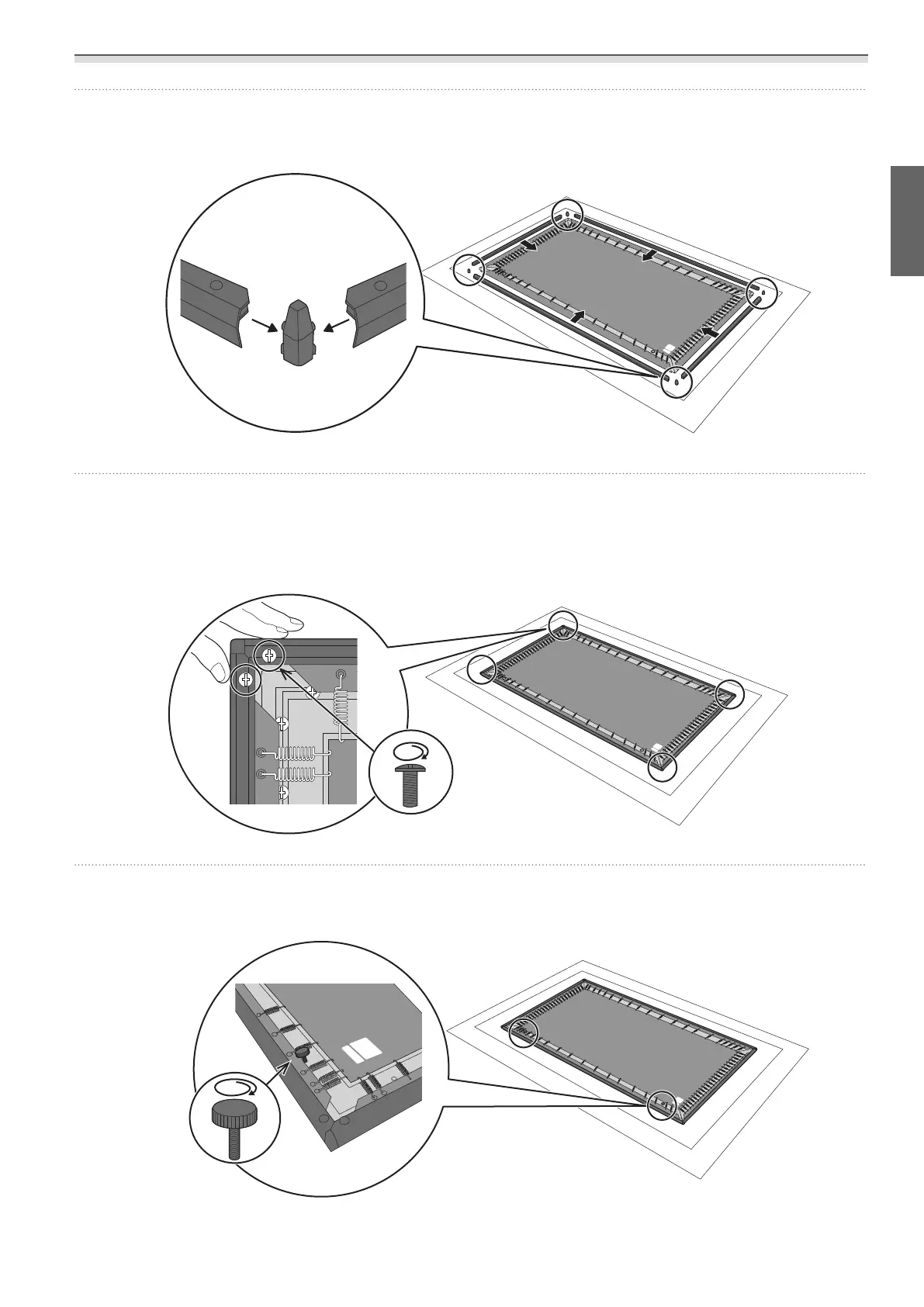
Attach the frame edges and corner guards to the frame
Attach the frame edges with the frame raised slightly and the side with the screw holes facing up.
e
Secure the frame edges and the L-brackets
Secure with the M5 x 15 mm screws supplied. (Two points x 4)
Tighten the screws while holding the frames firmly so that the corner guards do not move.
f
Install the angle adjustment screws
Attach to the screw holes at the bottom of the frame (the edge labeled “DOWNSIDE”). (Two points)



 To Next Page