Scanning Film 7
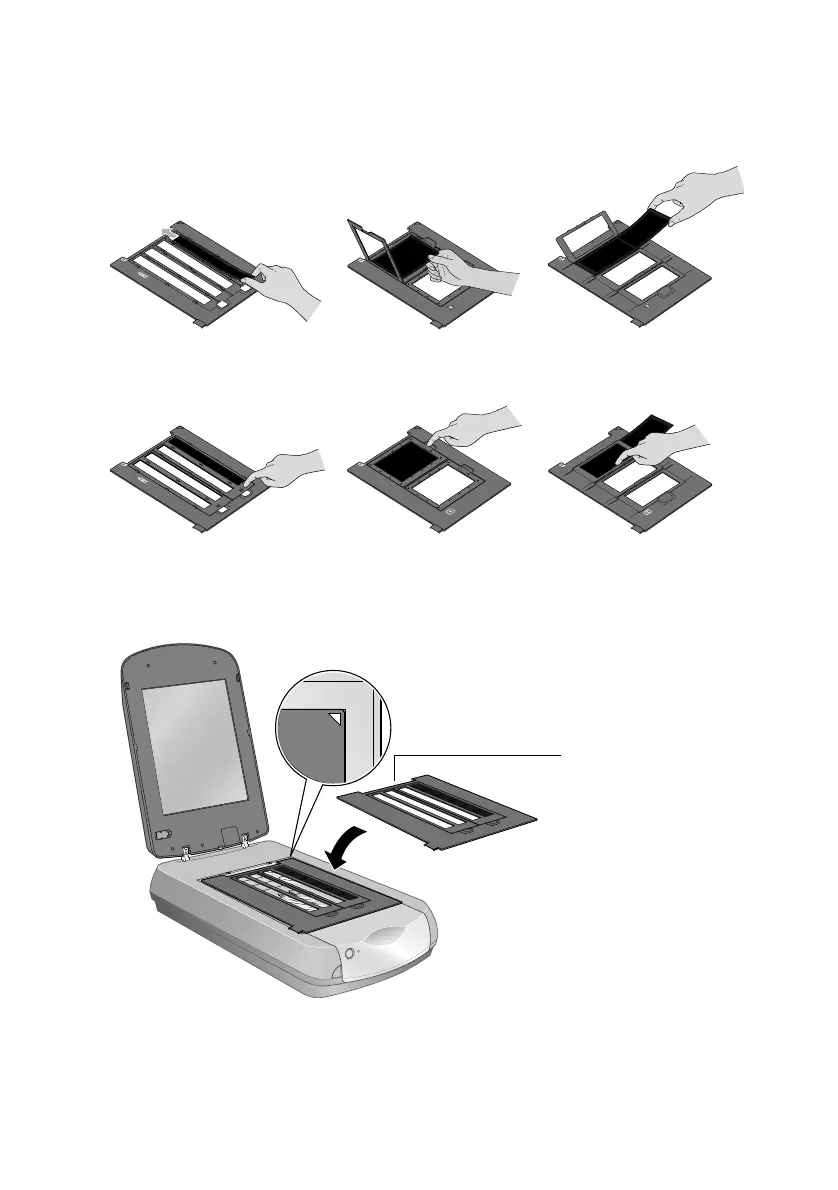
3. If you are scanning film or negatives, open the cover, then slide the film into
the corresponding holder, with the film’s base side facing down. (If you are
scanning slides, go to step 6.)
4. Lock the film holder cover into place.
5. Place the film holder on the scanner as shown. Make sure the white triangle
on the holder points to the upper-right corner of the scanner.
Make sure the
calibration space at
the top is uncovered










 To Next Page