A
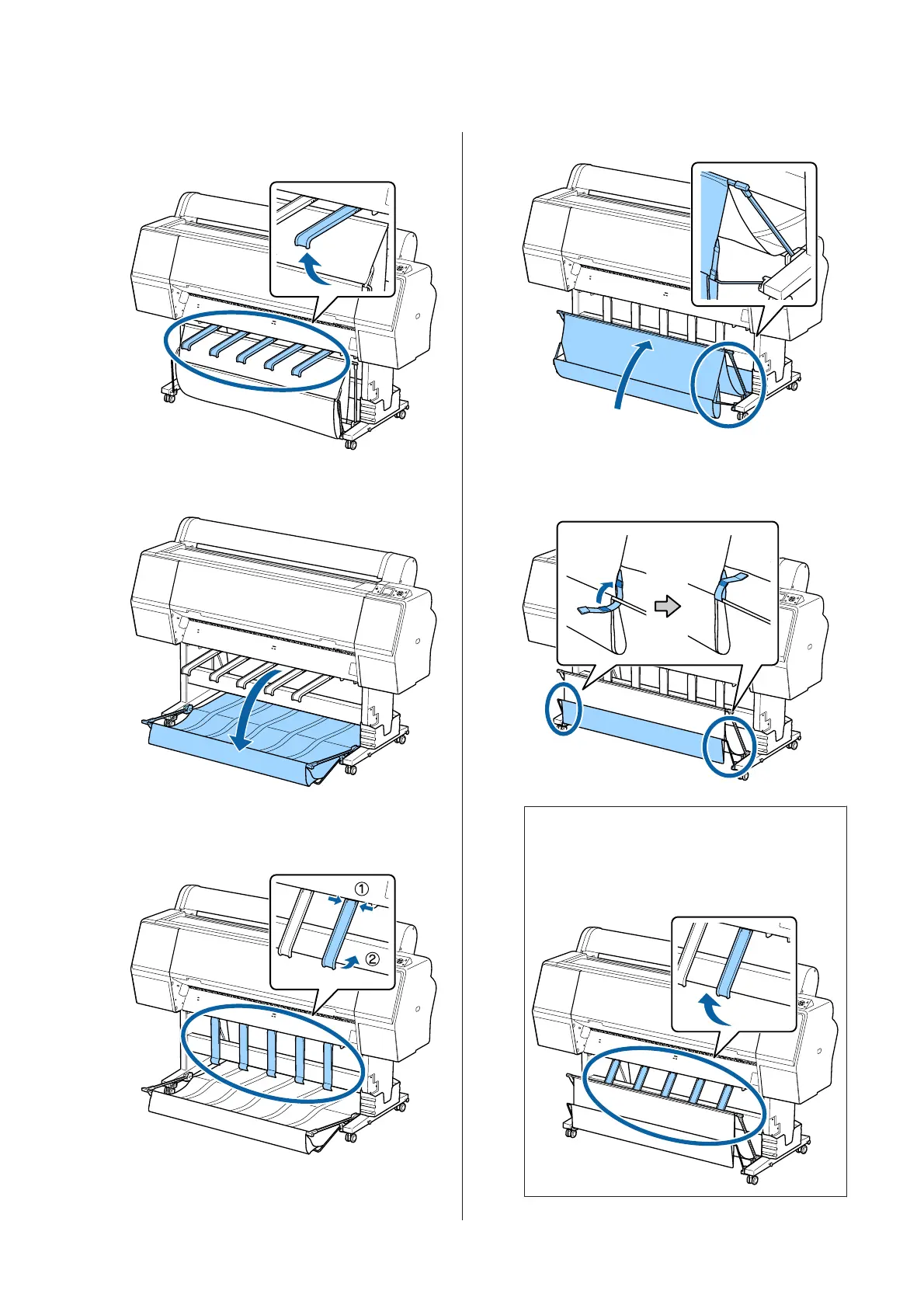
Raise the paper supports to the horizontal
position.
B
Lower the paper basket at the front until it is level
with the floor.
C
Lower the paper supports while pressing the left
and the right sides until the supports are vertical
as shown in the illustration.
D
Carefully raise the basket at the front by one level.
When the cloth touches the floor, secure using
the hook and loop fastener tape as shown in the
illustration.
c
Important:
If image quality is smudged in Doubleweight
Matte Paper or Enhanced Matte Paper, raise
all paper supports by one level.
SC-P9000 Series/SC-P7000 Series/SC-P8000 Series/SC-P6000 Series User's Guide
Basic Operations
40


 To Next Page
 Loading...