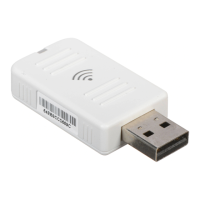
Wireless LAN 802.11a/b/g USB adapter
1-12
Link Status
The Link Status screen displays information on the current wireless access
point to which you are connected.
Status - Displays the BSSID (Basic Service Set ID) of the access point to
which the Wireless LAN USB adapter is associated. The BSSID is
the 6-byte hexadecimal ID number (the MAC address) of the associated
access point or base station. This information is only displayed, and not
configurable. Clients that have been associated with the same access point,
will display the same BSSID.
Extra Info - Shows the transmit power as a percentage.
Channel - The channel used to connect with the access point.
Link Speed - The data transmission speed.
Throughput - The amount of data (kilobits) transferred per second.
Link Quality - Shows the link quality of the wireless connection as a
percentage.



 To Next Page