PAIR
CHARGING MODE
① First pairing:
After the earphones are charged, take out the left and right earphones , and the
indicator lights of the earphones will flash . At this time , the left and right earphones
will be automatically paired and there will be a voice prompt “Success to ear”. After
the pairing is successful , the red and blue lights on the right ear will flash alternately.
② Pair the phone with the headset:
When the headset is paire,activate the Bluetooth settings of the mobile phone search
for “E200“and click connect . After connecting , there will be a voice prompt
“Bluetooth is connected”. The second use will automatically connect back to the phone.
③ Clear pairing:
When the headset is not connected, click 4 to restore the original settings
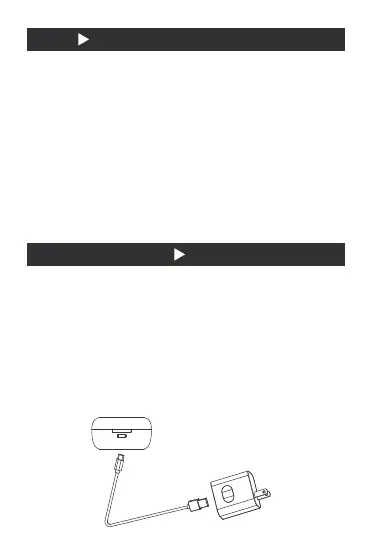
Charging the charging box:
Type-C charging line is attached in the package of this product, which is connected to the
power supply and equipped with a charger for charging
(* the red light flashes when charging, and the full red light is always on)
Charging headphones:
When the charging chamber is fully charged, put the earphone into the corresponding
acupoint, close the charging chamber, the blue light of the charging lamp is always on,
and after full charge Lights out
①
②


 To Next Page
 Loading...