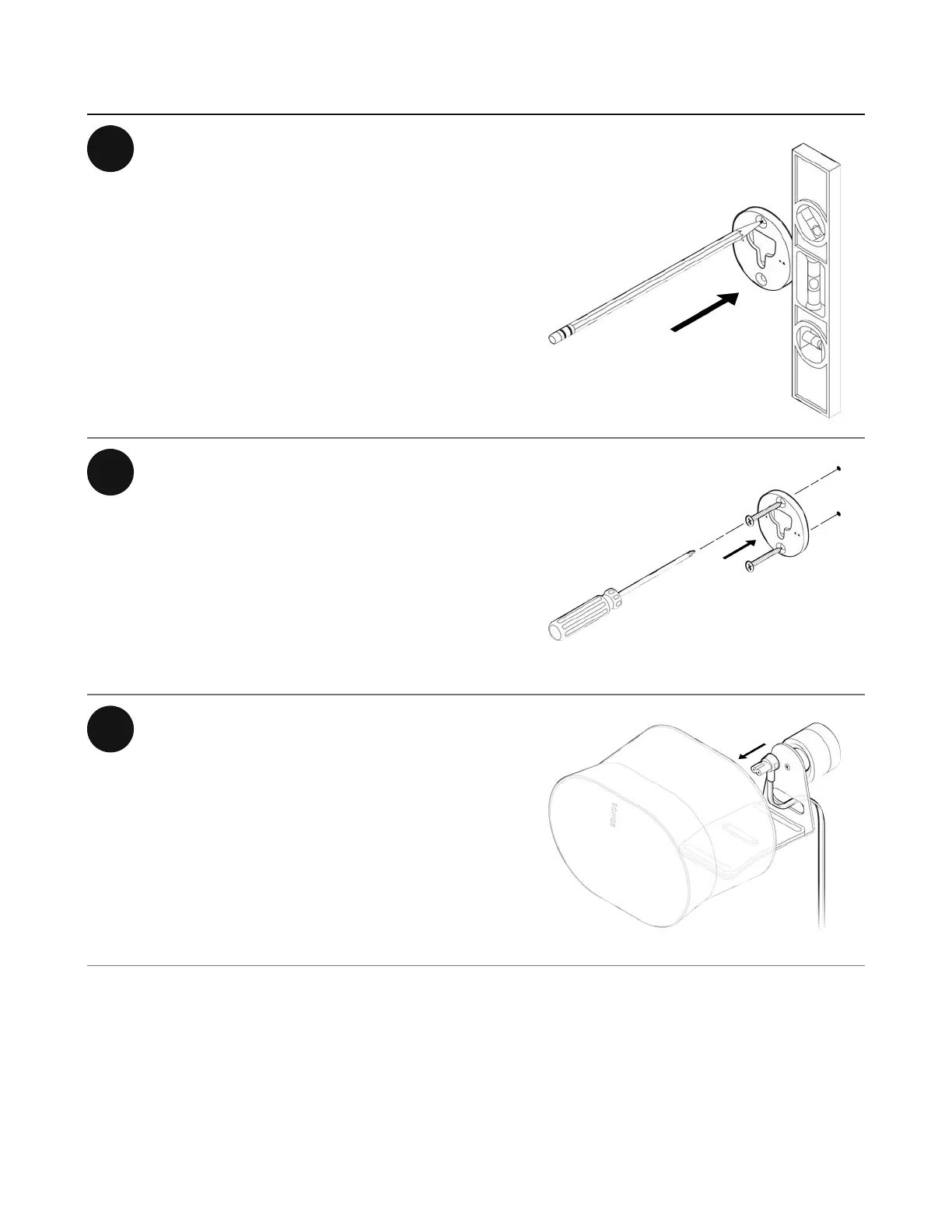
1 Locate a wall stud. Place the bracket
against the wall using a level to make
sure it’s aligned, and mark the screw
holes. Remove the bracket.
2 Pre-drill pilot holes into a stud using a
9/64” drill bit. Place the bracket
against the wall with the small arrows
pointing up, and secure it to the wall
with 2 long wall bracket screws
(included) and a power drill or
Phillips-head screwdriver.
3 Thread the power cord through the
opening at the back of the mount and
plug it into the speaker.


 To Next Page