5
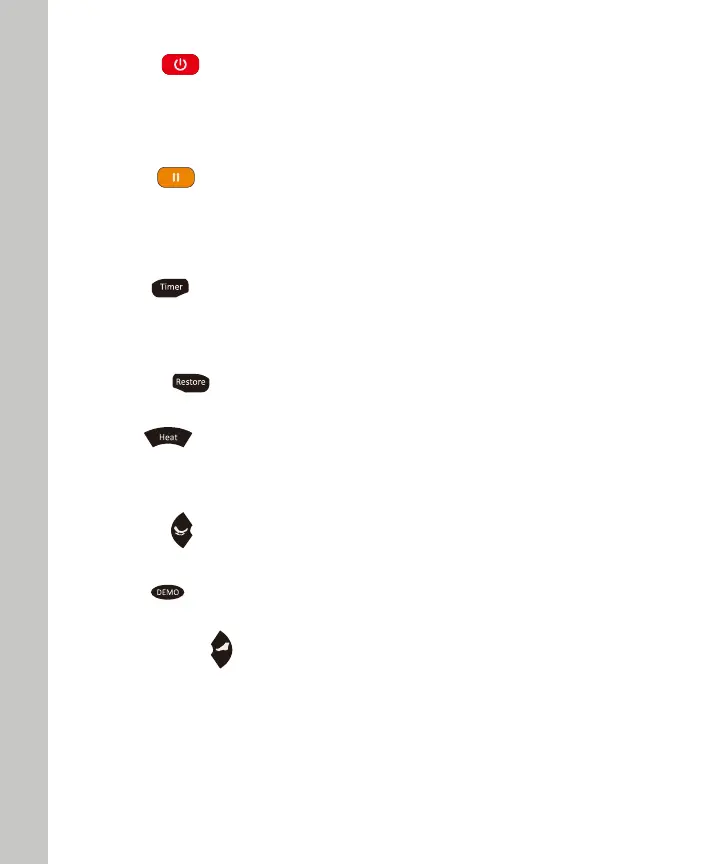
5. HEAT
Lumbar Heat Function Start/Stop Control Button
Press this button to activate lumbar heat function, press this button again to stop the heat function.
Note: During Auto Program mode, pressing this button can also disable/enable the heat function.
1. ON/OFF
The Start/Stop Control Button
Press this button to light up the LCD screen. Press any massage function button to start massage. This
will initiate the timer function. Press this button again to stop all massage functions, massage chair
will return to its original position.
2. PAUSE
Press this button once to halt current massage function and count down timer. During pause mode,
the pause button will be blinking. Press this button again to cease the “Pause” function and resume
previous massage function as well as countdown timer.
3. TIMER
Time Interval Control Button
When a massage function is activated, the timer is preset at 15 minutes. Every single press on this
button will change the timer interval in the sequence of "20>25>30>5>10>15>20" minutes.
4. RESTORE
Press this button to make the chair restore to its original position.
6. ROCKING
A program designed to relax the body by rocking the chair.
7. DEMO
This massage will quickly demonstrate all of the massage features in 5 minutes.
8. FOOT ROLLING
Foot Rolling Function Start/Stop Control Button
Press this button once to activate rhythmic rolling massage at soles, press this button again to stop
rolling massage at soles.
Note: During Auto Program mode, pressing this button can also disable/enable the foot rolling function.


 To Next Page
 Loading...