Solid Wall Mount
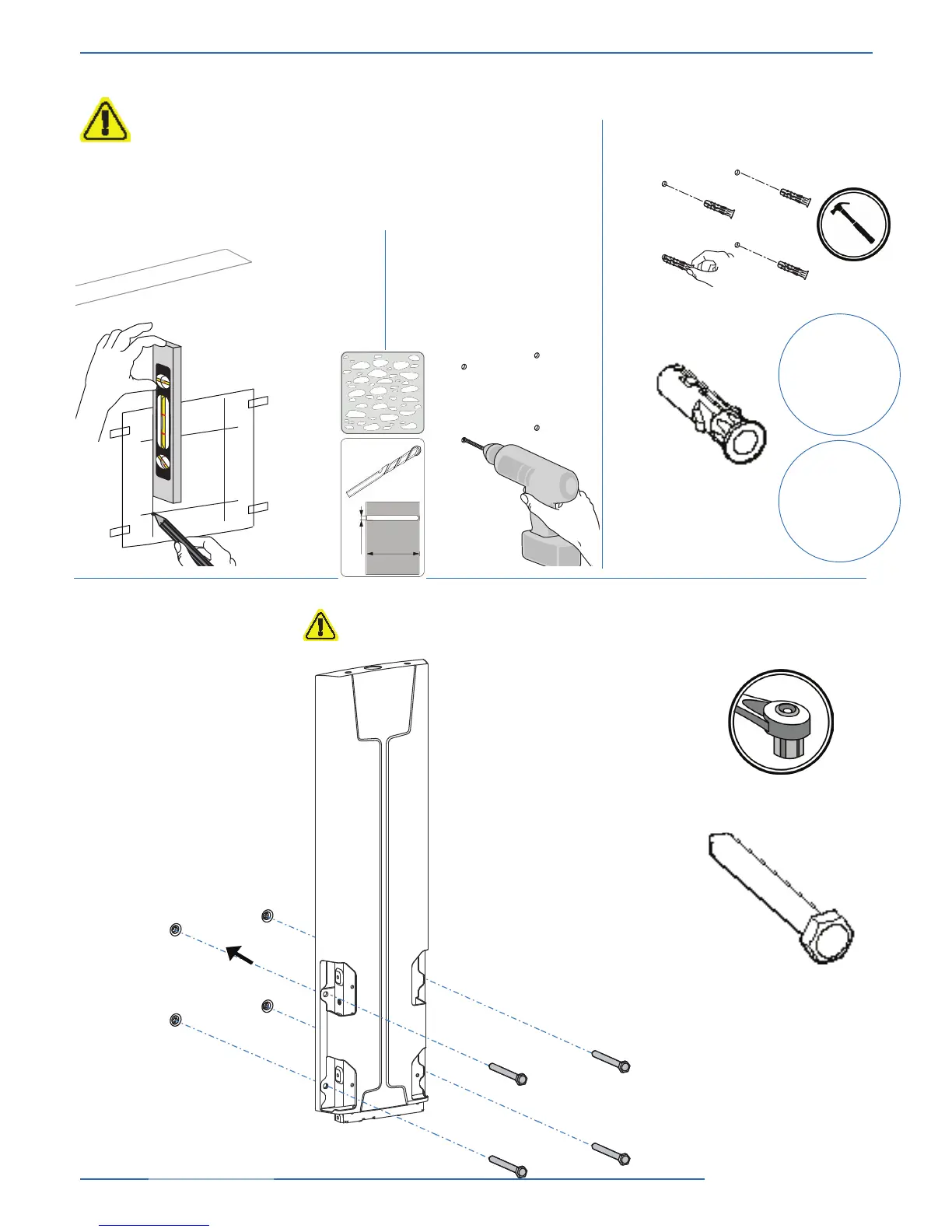
Insert wall anchors into wall.
Drill 4 holes.
a
b
c
d
4x
4x
W-B
13 mm
Attach lift assembly to wall using lag bolts. Tighten bolts with
socket wrench. DO NOT OVER TIGHTEN
W-A
Determine Mounting Height
CAUTION: Before proceeding with this installation consult your TV product
guide for manufacturer recommendations on choosing a mounting location
that will ensure optimum TV performance. Location considerations might
include: TV height and viewing angle - based on height and distance of
seating, room dimensions and size of TV; access to power outlets; cable
connections for speakers and other devices; protection from glare and heat,
(windows, lamps, replace, air ducts) and vibration. Please take into account
that this product is being installed in it’s highest position. Your TV will only
be able to be lowered from it’s installed position.
Place template
on wall and
mark the
mounting
holes with a
pencil.
3/8”
80mm



 To Next Page