Need help?
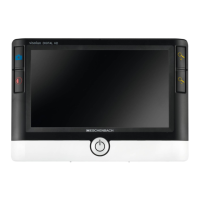
Do you have a question about the Eschenbach Visolux Digital XL FHD and is the answer not in the manual?
 General
| Brand | Eschenbach |
|---|---|
| Model | Visolux Digital XL FHD |
| Category | Magnifiers |
| Language | English |
Manual's firmware version and device's intended use.
Initial setup guidance and list of included package items.
Essential warnings for safe device operation and handling.
Identification of physical buttons, ports, and indicators.
Instructions for power, reading, and scrolling.
Details on touchscreen navigation and zoom adjustment.
Using false color modes and saving live images to SD card.
Instructions for viewing, selecting, and deleting images from the SD card.
Accessing settings, adjusting reading guidelines and photo albums.
Customizing zoom mode, reading material lighting, display brightness, and volume.
Configuring scrolling, reading speed, and accessing the quick guide.
Advanced settings for reading line, zoom, false colors, and timeouts.
Selecting output language and setting device date and time.
Step-by-step guide to update device firmware using a PC.
Using HDMI and USB for data transfer, display, and power.
Device specifications: display, zoom, operating times, dimensions.
Device reset, cleaning, disposal guidelines, and warranty information.
 To Next Page