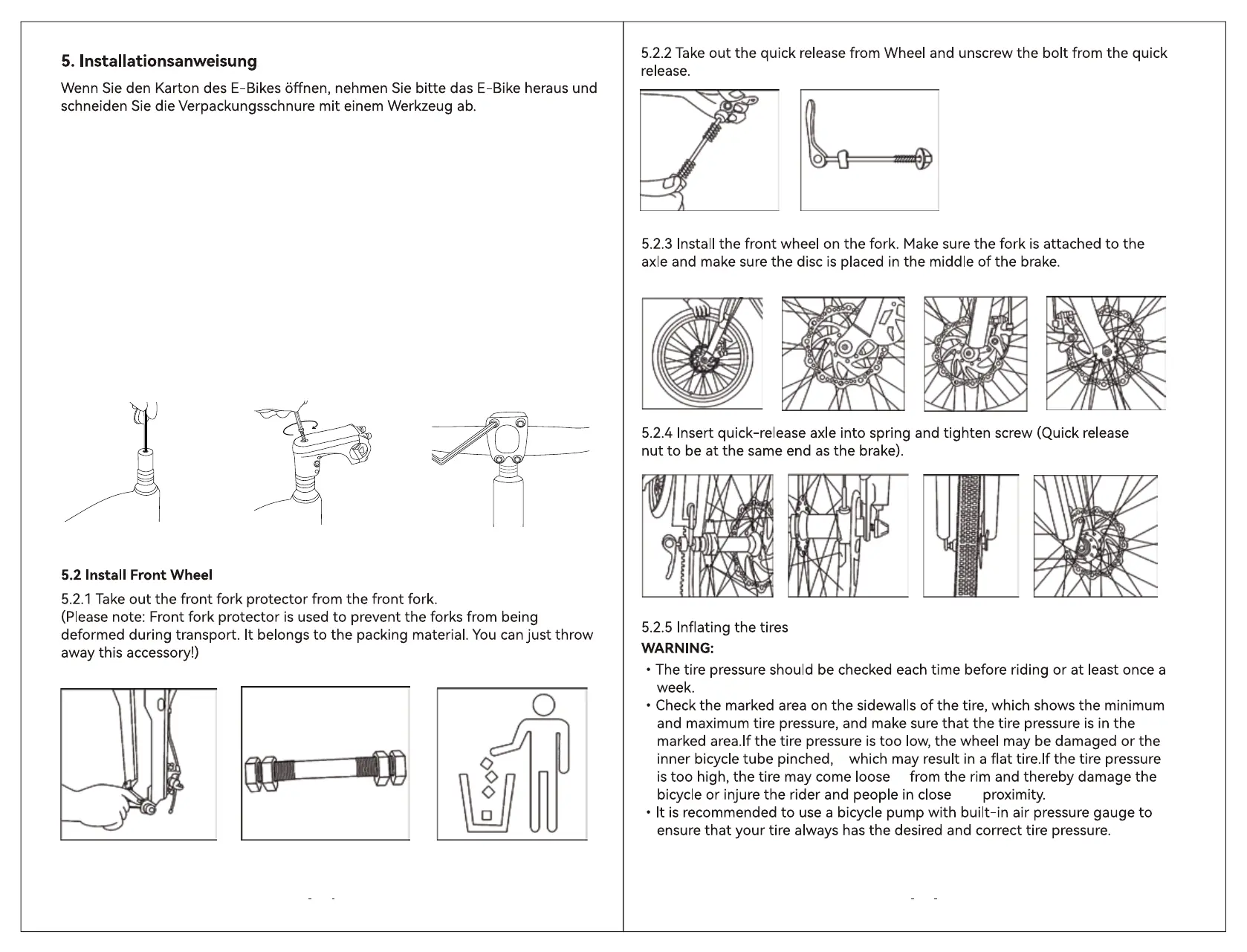
1.Use an Allen tool to loosen the stem cover, (keep the long screws, the cover can be thrown
away.) Install the gauge onto the riser.
2.Remove the silicone round plug at the center of the display and, while making sure the display
is oriented straight ahead, tighten with the long screw to secure the display. (When nished,
the plug can be put back over the hole in the center of the display.)
3.Loosen the 4 screws and center the handlebar on the front of the display.
4.Tighten the two diagonal screws sequentially in order. (top left, bottom right; then top right,
bottom left)
5.Once you have determined that the gauge and handlebar mounts are adjusted to a forward
and centered angle, you can check and tighten all the screws again.
11 12
1 3
4 2
5.1 Install the Handlebar



 To Next Page