4
Connect to your phone and APP
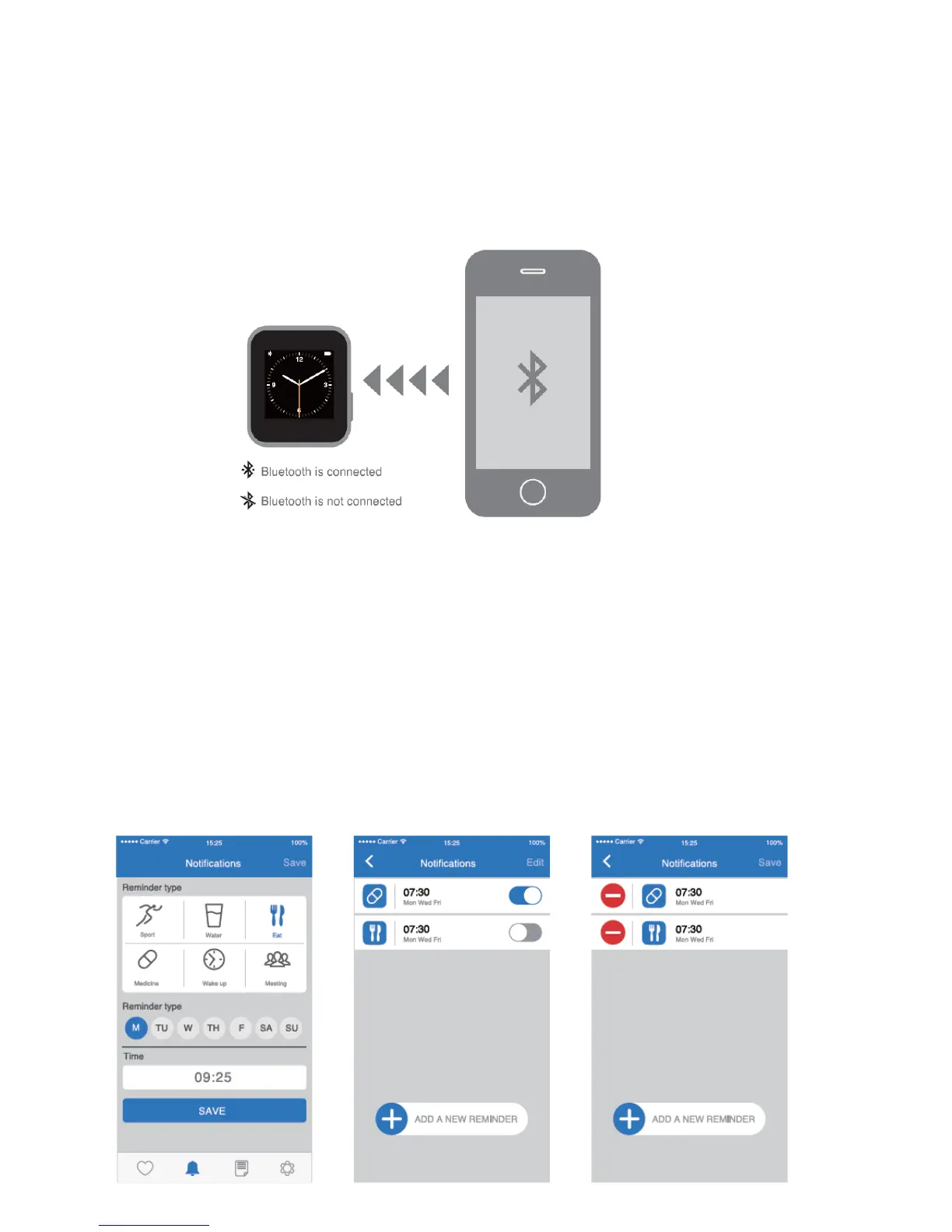
Install eSTAR Smart Watch APP on your smart phone and connect eSTAR Smart Watch with your
smart phone via Bluetooth. After the success of the bluetooth connection.you can check SMS,
phone book, call records, music and set reminders and other functions on the eSTAR Smart Watch
dlsplay screen.
Note:
If Bluetooth Is successfully connected, the Bluetooth logo will appear on the watch screen. If you
can not search eSTAR Smart Watch, please confirm whether eSTAR Smart Watch Is powered on
or re-connect again. eSTAR Smart Watch supports dual system connectivity, it can perfect
support for Android and IOS systems
Major functions of APP:
Daily notification
Your setup on APP can be sync to the watch. Wi-Watch eSTAR Smart Watch will be your daily life
secretary.
Noted:


 To Next Page