7
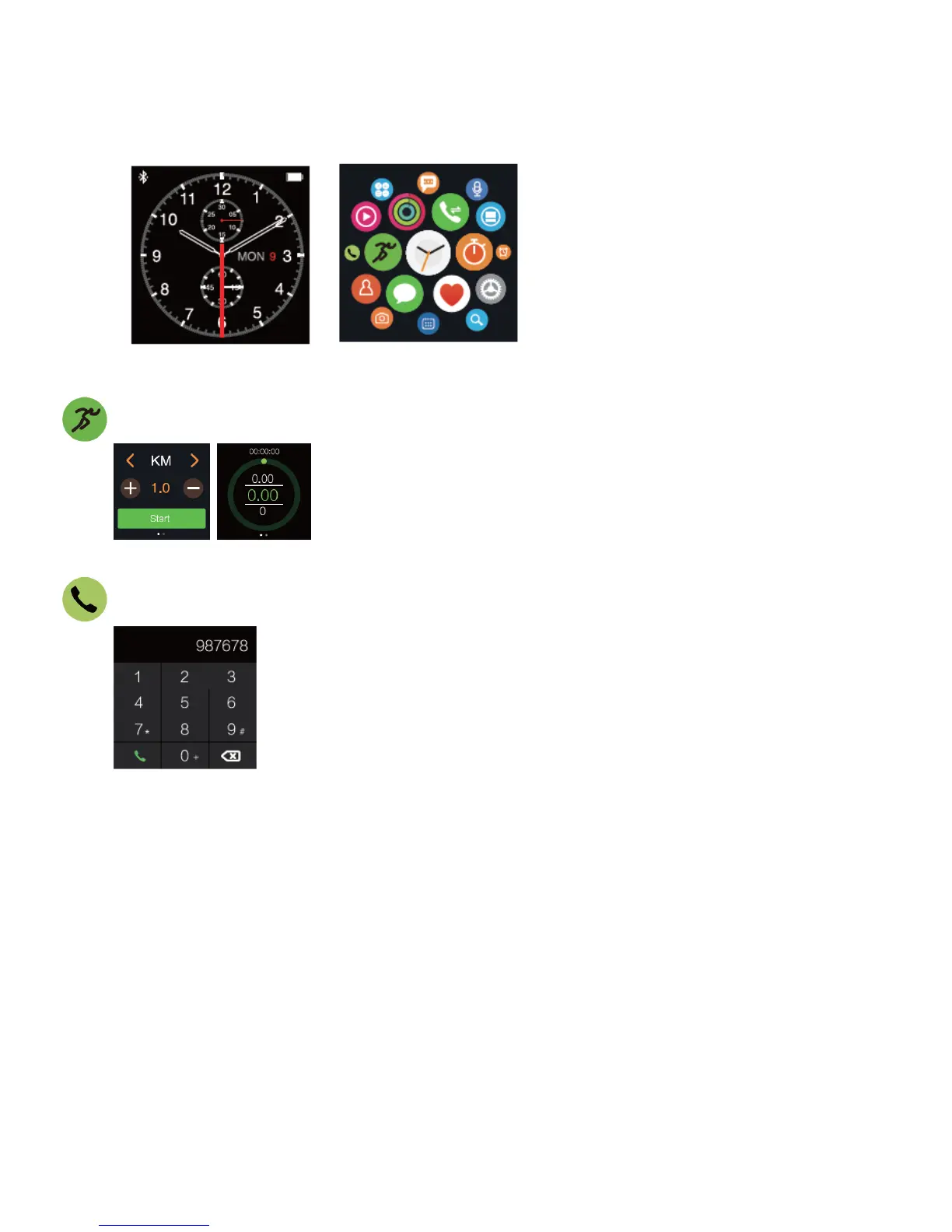
eSTAR Smart Watch will enter clock interface after povvered on.
Press "PWR" button or tap home screen to enter main menu interface
Sports and Fitness
White dots below the pedometer indicate a multi-page interface.
Bluetooth Dialer
Press dial button to enter dialing interface and input phone number directiy.
Noted:
Dialing on watch directiy wiII not be available until it is connected with your phone via
Bluetooth.
Daily Sport Monitoring
Fltness Interface: slide to rlght to show fltness, actlvlty, steps and exercise In order.
1. Fitness: slide upvvards to check calorie, steps and exercising time.
2. Activity: shows the calories consumed In lašt 24 hours and slide upvvards to check the calories
consumptlon bar in hours.
3. Steps: shows the steps taken in last 24 hours and slide upwards to check the steps bar in
hours.
4. Exercise: shows the exercising time In last 24 hours and slide upwards to check the exercising
time bar in hours.



 To Next Page
 Loading...