Instruction
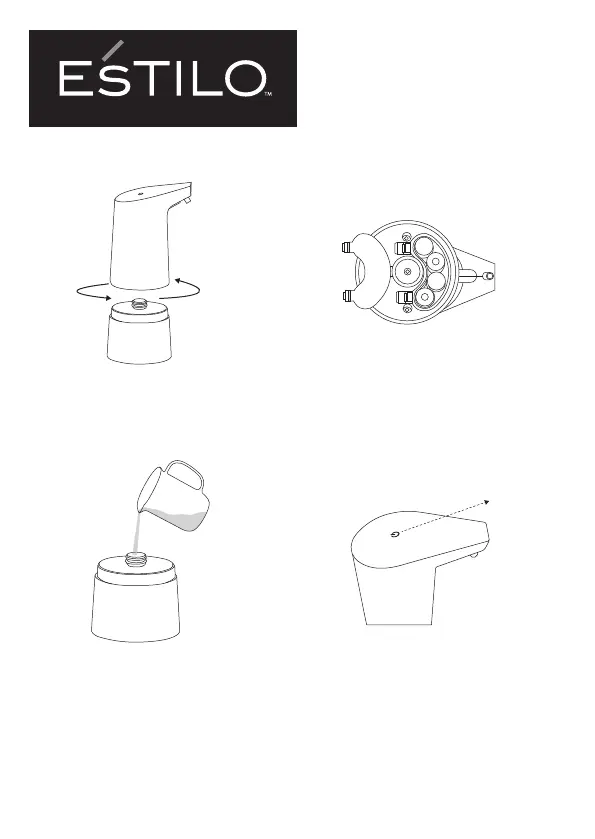
Step 1
Open the soap tank by rotating it gently
in a counter-clockwise direction.
Step 2
Open the battery cover, correctly insert 4
AA alkaline batteries. Observing the
polarities in the battery compartment,
then close the battery cover.
Step 3
Pour desired amount of liquid (must)
into the soap tank, then rotate the tank
gently in a clockwise direction to x it.
Step 4
Power on: Press the power button once to
switch it on
(White indicator light ashes once)
Power o: Press the power button once to
switch it o
(Red indicator light ashes once)
Note: Hand and sensor distance ≤ 6 cm
Press



 To Next Page