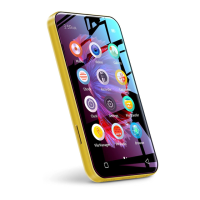
Power: In shutdown state, press and hold for 3
seconds to turn on.
In the boot state, long press for 3 seconds to
activate the shutdown options: Power o, Restart,
Airplane mode.
Short press to turn o/on the screen.
Volume +/-: Press + / - to turn up/down the volume.
USB-C Port: Used for Charging and File transfer.
Reset: Long press it for 3 seconds, the device will
be restored to factory settings.
Back: Click to come back to the previous page.
Home: Click to come back to homepage. Long
press to open the background process management
(Recently used apps), swipe left/right to remove
the selected process.
SD Slot: Expand storage of the device, maximum
support 512g TF/ Micro-SD card.
3.5mm Output: Connect your headphones or
external speakers.


 To Next Page
 Loading...