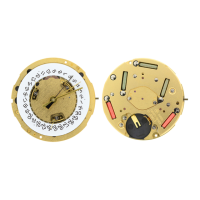
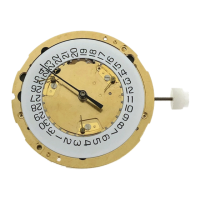
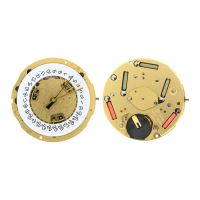
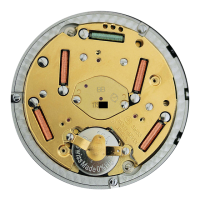
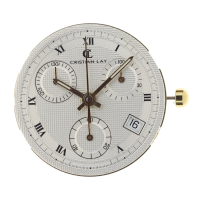
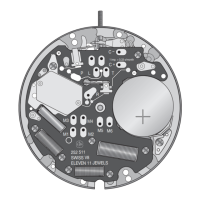
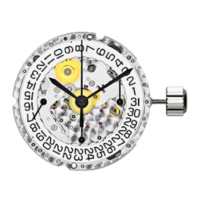
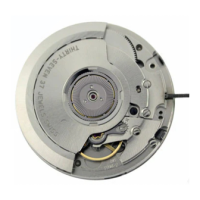
ETA 251.292
A B
C
D
E
F
I II
III
I II
III
B
AC
B
AC
I II
III
I
I
I
I
I
I
B
AC
B
AC
B
AC
B
AC
B
AC
B
AC
317 255 - 02/00
Pushbutton A
30 minute
timer
1/10 second
timer
Second
hand
Minute
hand
Hour
hand
Setting crown
(Position I, II, III)
60 second
timer
60 second timer
(split-second hand)
Watch hands
DISPLAY
Date
indicator
Set the hand of
the 30 minute
timer to zero
Set the
hand of the
60 second
timer to zero
Split-second
hand
Set the
hand of the
60 second
timer to zero
Setting crown in position II or III
Setting crown
Set the hand
of the 1/10
second timer
to zero
SETTING THE TIMERS TO ZERO
Setting crown in position II or III
SETTING THE TIME & CORRECTION
Correction
of hour and
minute hand
and date at
every passing
at midnight
1
START
3
WARNING
Before starting the time, put back the chronograph
hands to their original position.
If necessary, see paragraph SETTING THE TIMERS
TO ZERO.
Simple timing function
Reset to zero
3
1 to order of functions
Setting crown
in position I
TIMING MODE
Correction
of date and
time zone
TIMING MODE
ADD FUNCTION
X
1
to order of functions
START
Reset to zero
X
Setting crown in position I
1
2
STOP Read
3
RESTART
4
STOP Read
5
RESTART
6
STOP Read
Split-time or intermediate time function
START
5
1
to order of functions
RESTART
(split second)
TIMING MODE
Note:
Setting crown in position III : STOP-SECOND
Note:
The time catched up can be 30 minutes at max.
(Exclusive worldwide function).
1
STOP
Read
intermediate
time 1
- 1 minute
- 57 sec.
- 6/10 sec.
STOP
Read
intermediate
time 2
- 3 minutes
- 5 sec.
- 4/10 sec.
STOP
Read time
- 5 minutes
- 57 seconds
- 7/10 sec.
2 4
RESTART
(split second)
3 5
2
Pushbutton C
Pushbutton B
HG I
I
I
I
I
I
I
I I
I
B
AC
B
AC
B
AC
B
AC
I
B
AC
B
AC
B
AC
B
AC
B
AC
B
AC
Memo function
TIMING MODE (cont.)
Split-time or intermediate time function
7
to order of functions
STOP
Read
last time
- 8 minutes
- 11 sec.
- 6/10 sec.
TIMING MODE (cont.)
6
Reset to zero
7
X
1
to order of functions
2
Stop read the first intermediate time
1
Start
1
Start
FlyÐback
STOP
Read
intermediate
time 1
- 1 minute
- 35 sec.
- 5/10 sec.
2
STOP
Read
intermediate
time 2
- 2 minutes
- 10 sec.
- 8/10 sec.
4
5
Stop read last time
4
Stop read second intermediate time
Timing restart without resetting to zero.
7
Read last measured time
8
Read again last registered intermediate time
9
Read again last measured time...
6
Read last registered intermediate time
3
Restart
STOP
Read last time
- 3 minutes
- 30 sec.
- 8/10 sec.
5
- 2 minutes
- 10 sec.
- 8/10 sec.
6
7
Reset
to zero
X
2
FlyÐback function
TIMING MODE (cont.)
6


 Need help?
 General