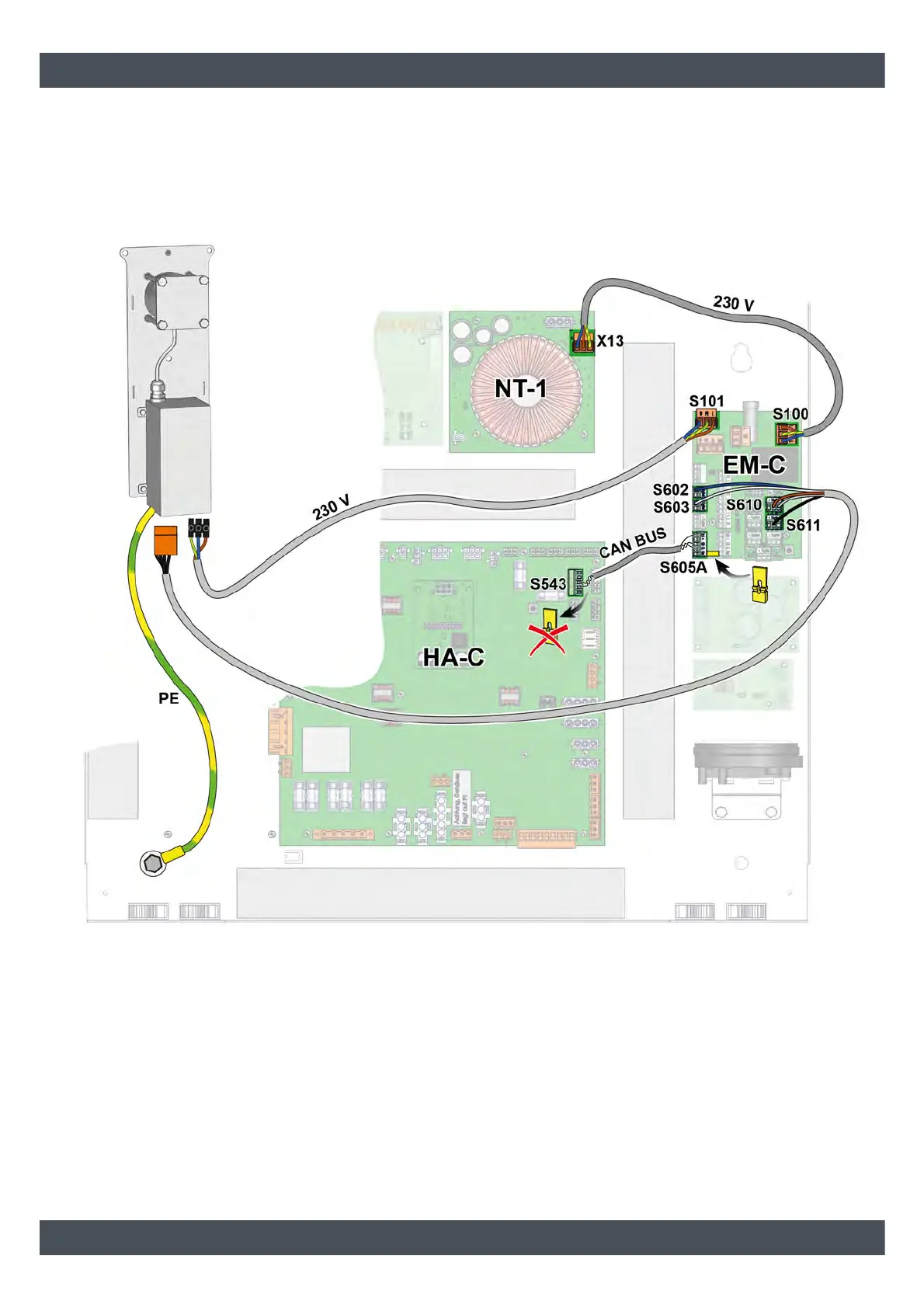
Connecting the high voltage unit
Mount the circuit board [EM-C] next to the other boards on the electronics carrier. Then clamp the high-voltage unit
to the circuit board [EM-C], see the following diagram. Connect the earthing cable (PE) for the high voltage unit to
the fastening screw of the electronics carrier using the enclosed toothed disc. For the CAN bus connection between
the circuit boards [HA-C] and [EM-C], remove the yellow jumper on the circuit board [HA-C] and position on the [EM-
C] circuit board.
Fig. 3-1: Connecting the high voltage unit



 To Next Page