EasyManua.ls Logo

ETAP 28s - Page 29

Default Icon
71 pages
Print Icon
To Next Page IconTo Next Page
To Previous Page IconTo Previous Page
Loading...
:
:
.-
:
a
!
/
"l
i
J
1
I
{
I
I
4
I
4
{
I
a
a
:!
,
-
:
1
,
T
%?
.
reset the
level
meter
on the switch
panel
(see
Section
3.6.6)
;
.
if necessary,
make
a note
in
the logbook.
3.6,5
Measuring
tank
level
ln
order to determine
how much
fresh
water
is
being consumed,
a digital
supply meter,
whose
results
can be
read
off on the
switch
panel
at
the charl
table,
has
been installed
(near
the fresh
water
pump).
This
meter
must
be reset
to 100o/o
or 115
I each
time
the tank is
filled.
To
do
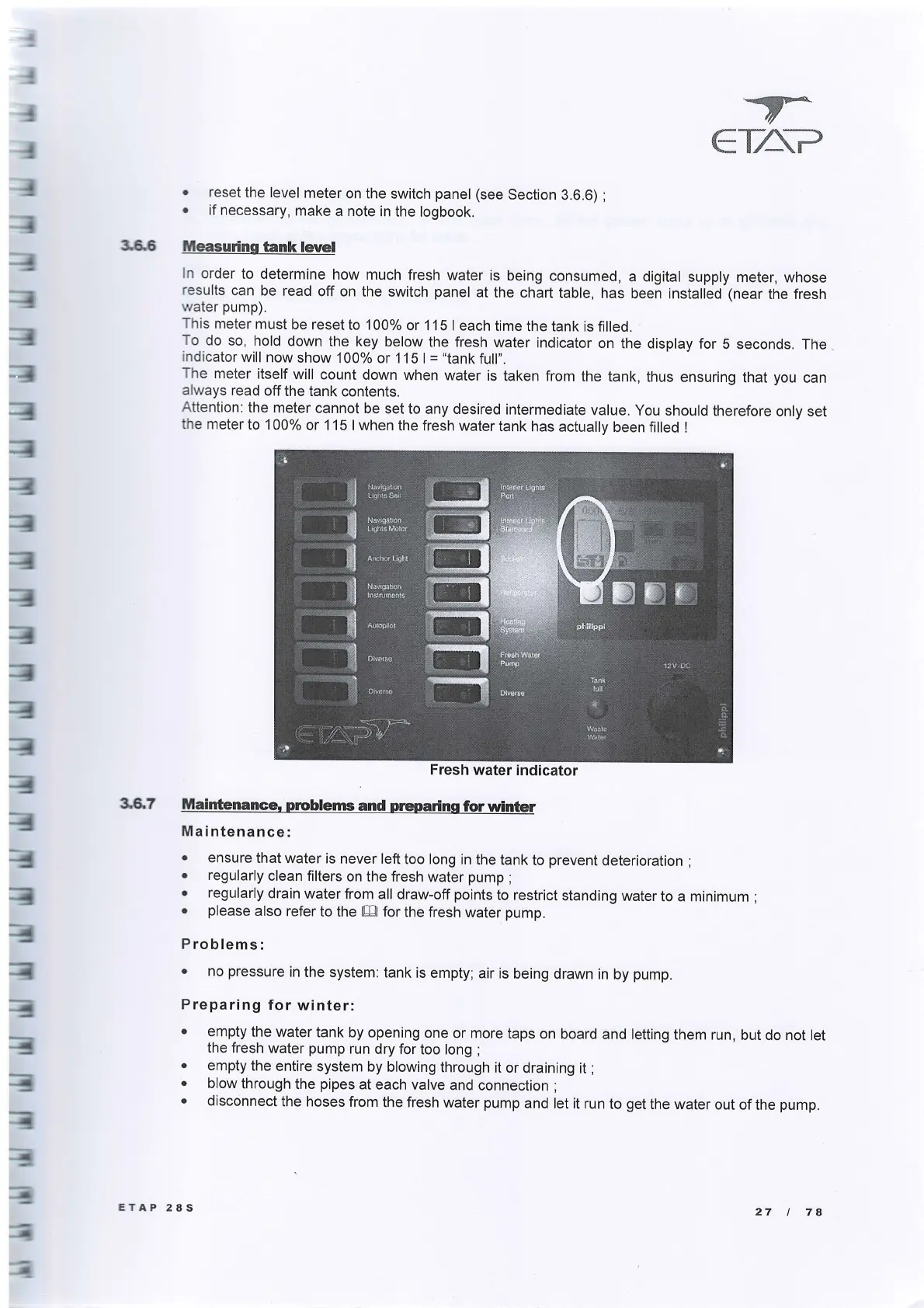
so, hold
down the
key below
the fresh
water
indicator
on
the display
for
5 seconds. The
indicator
will
now
show 100%
or 1 15
I
=
"tank
full".
The
meter
itself
will
count
down when
water
is
taken from
always
read
off
the tank
contents.
the
tank, thus
ensuring
that
you
can
Attention:
the
meter
cannot
be set to
any desired
intermediate
value.
You should
therefore
only set
the
meter
to 100%
or 1 15
I when the
fresh water
tank
has actually
been filled I
36.7
Maintenance.
prcbletreand
preparinsforwinter
Maintenance:
.
ensure
that water
is
never left
too long
in the
tank
to
prevent
deterioration
;
.
regularly
clean filters
on the fresh
water
pump
;
.
regularly
drain
water from
all draw-off
points
to
restrict
standing
water
to a minimum
;
.
please
also
refer
to the Ell for
the fresh
water
pump.
Pro blems:
.
no
pressure
in
the
system: tank
is empty;
air is
being
drawn in
by
pump.
Preparing
for
winter:
a
a
a
emply
the water
tank
by opening
one
or more
taps
on board
and letting
them run,
but do not
let
the fresh
water
pump
run dry for
too long
;
empty
the
entire
system
by blowing
through
it or
draining it
;
blow
through
the
pipes
at each
valve
and
connection
;
disconnect
the hoses
from
the fresh
water
pump
and let it
run to
get
the water
out
of the
pump.
Fresh
water
indicator
ETAP
28S
27
I
7A
1
i
,]
I
:
]
i
I
a
lliliq:i
en
f1rrig.!cn
@ ffi
ffi','
Ta,ak

Related product manuals