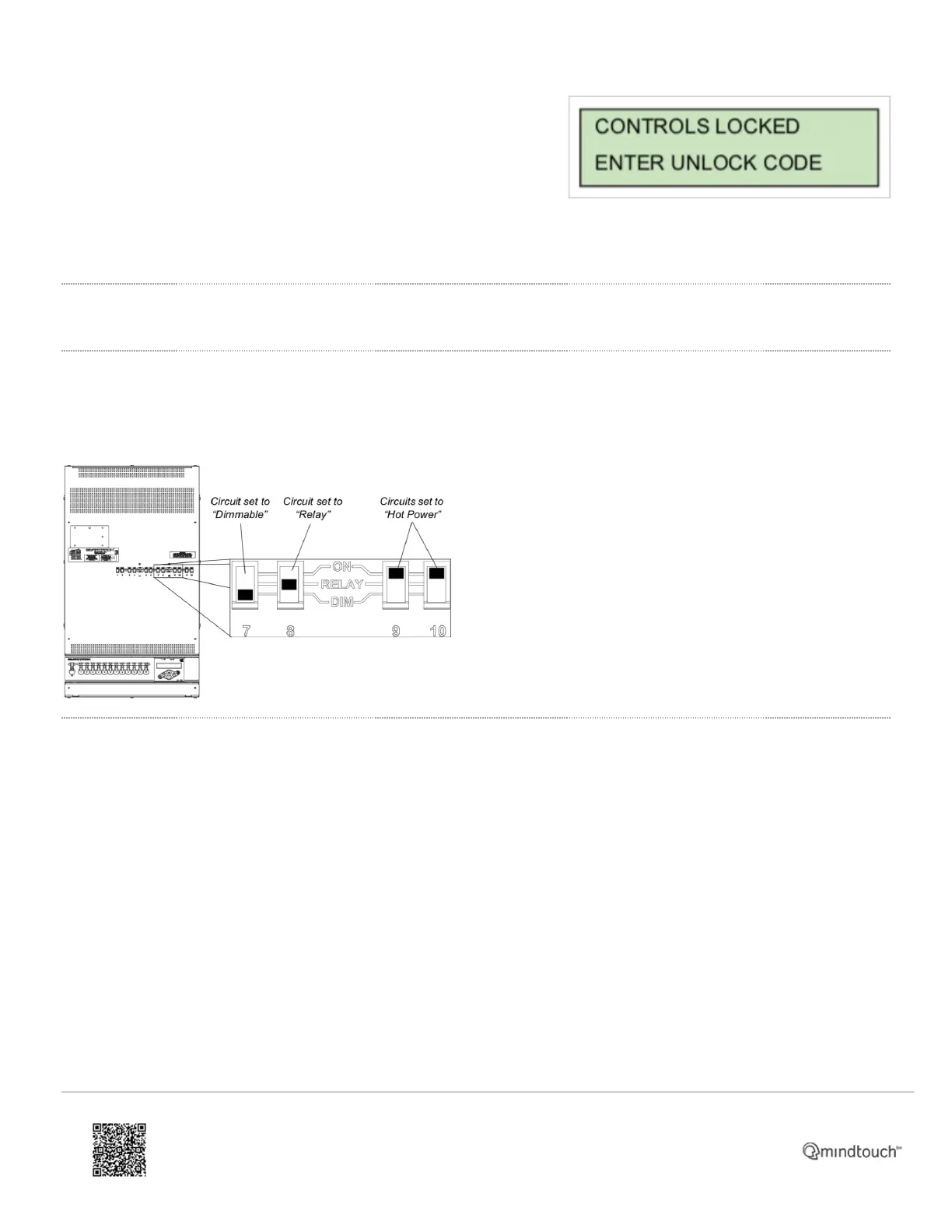
• When lockout is on, all local controls are disabled. If a user
interface button press is received, the unit will display a lockout
dialog for three seconds then return to the main status display.
To disengage menu lockout:
Press and hold + and - buttons for a period of 5 seconds. The display returns to the main status display and all controls
function normally.
Circuit Mode Selection Switches (for SmartPacks with ThruPower)
ThruPower Relay
Each circuit has a dedicated, three-position switch that sets the circuit to Dimmable, Relay, or Hot Power (constant
circuit).
ThruPower Switch (CE only)
Each circuit has a dedicated, two-position switch that sets the circuit to Dimmable or Hot Power (constant circuit).
https://support.etcconnect.com/ETC/Power_Controls/Smart_Family/SmartPack_and_SmartSwitch/SmartPack_User_Manual/…
Updated: Tue, 14 Sep 2021 15:42:05 GMT
Powered by
3


 To Previous Page