
 Need help?
Do you have a question about the Eternal Lighting Surge 8 and is the answer not in the manual?
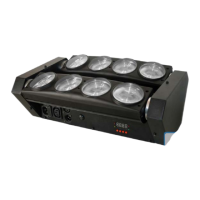
Lists key features of the Surge 8™ 10 Watt White light fixture, including LED type, modes, effects, and specifications.
Configures the DMX starting address for the fixture.
Selects between 6-channel and 12-channel DMX modes.
Sets the fixture to operate as a master or slave unit in a DMX chain.
Enables standalone operation via pre-programmed shows or sound-activated mode.
Controls display on/off, inversion, and tilt movement direction.
Includes auto-test, fixture use time display, firmware version, and reset function.
Details DMX control functions for Motor movement, Dimmer, Strobe, and Effects in 6-channel mode.
Details DMX control functions for Motor movement, Dimmer, Strobe, and individual LED dimming in 12-channel mode.
 General
| Brand | Eternal Lighting |
|---|---|
| Model | Surge 8 |
| Category | Light Fixture |
| Language | English |

 To Next Page
