10
3
Add the camera to your app.
Press the + sign in the app or optional press add device.
Make sure you are connected to your home Wi-Fi, or the Wi-Fi
you need to connect your camera with.
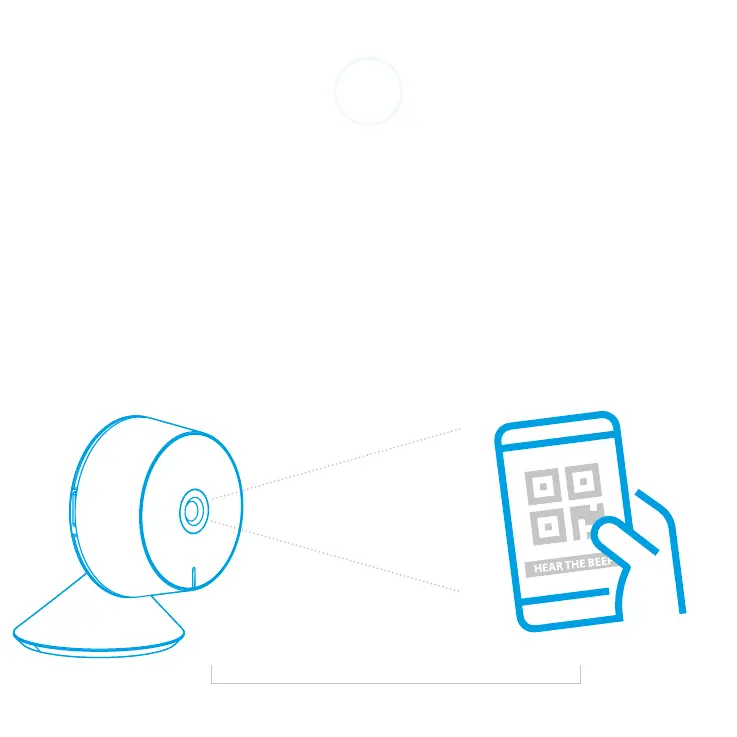
Fill in the password. Hold the created QR code in front of the
camera until you hear a beep sound.
20-30 cm


 To Next Page