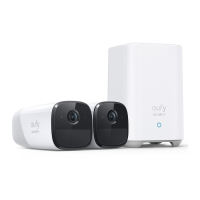
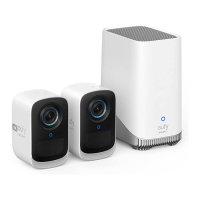
The S300 eufyCam is a comprehensive security system designed to provide robust surveillance for your property. It consists of two S300 eufyCams and an S380 HomeBase, working together to offer advanced monitoring capabilities.
S300 eufyCam Function Description:
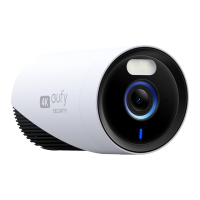
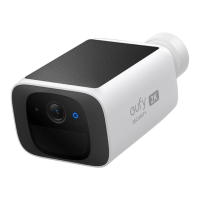
The S300 eufyCam is a wireless security camera that captures high-resolution video, indicated by the "4K" marking on its side. It is designed for outdoor use, as suggested by the mounting instructions, and offers a wide field-of-view to cover significant areas. The camera integrates several sensors and components to enable its security functions.
S300 eufyCam Usage Features:
- Video Capture: The primary function of the S300 eufyCam is to record video. The "4K" designation implies high-definition recording, providing clear and detailed footage.
- Motion Detection: Equipped with a motion sensor, the camera can detect movement within its designated motion detection zone. This feature is crucial for triggering recordings and alerts when activity is detected. The recommended mounting height of 7-10 ft (2-3 m) and a motion detection zone extending up to 26 ft (8 m) suggest optimal coverage for various outdoor scenarios.
- Night Vision/Low-Light Performance: The presence of a spotlight and a photosensitive sensor indicates that the camera is capable of operating effectively in low-light conditions or at night. The spotlight can illuminate the area for clearer video, while the photosensitive sensor helps the camera adapt to changing light levels.
- Audio Capabilities: A built-in microphone allows the camera to capture audio along with video, providing a more complete picture of events. The speaker enables two-way audio communication, allowing users to speak through the camera and hear responses from the monitored area.
- Wireless Connectivity: The camera connects wirelessly to the S380 HomeBase, offering flexible placement options without the need for extensive wiring.
- LED Indicator: An LED indicator provides visual feedback on the camera's status, such as charging or operational status.
- SYNC Button: A SYNC button is included for pairing the camera with the HomeBase, simplifying the setup process.
- Mounting Flexibility: The camera features a mounting hole and comes with a mounting bracket that allows for adjustable positioning, ensuring the desired view can be achieved.
S300 eufyCam Maintenance Features:
- Rechargeable Battery: The camera is powered by a rechargeable battery, which can be charged via a USB-C charging port. The manual indicates that a full charge can take approximately 8 hours, suggesting a substantial battery capacity for extended operation. Charging can be done directly from the S380 HomeBase's USB port or using a standard 5V USB charger.
- App-Based Management: The eufy Security app is essential for managing the camera, including adjusting settings, viewing live streams, and checking the LED indicator status for troubleshooting.
S380 HomeBase Function Description:
The S380 HomeBase acts as the central hub for the eufyCam system. It provides network connectivity, local storage for video recordings, and manages the communication between the cameras and the user's mobile device.
S380 HomeBase Usage Features:
- Centralized Control: The HomeBase connects to your router and serves as the brain of the security system, coordinating all connected cameras.
- Local Storage: A key feature of the S380 HomeBase is its built-in storage for video recordings. It comes with 16 GB of storage and offers the option to expand storage capacity by adding a 2.5-inch SATA hard disk drive (HDD) or solid-state drive (SSD) up to 6TB. This local storage ensures that recordings are kept secure and accessible without relying solely on cloud services.
- Network Connectivity: An Ethernet port allows for a stable wired connection to your home router, ensuring reliable communication with the cameras and the eufy Security app.
- USB Ports: The HomeBase includes two USB ports (USB Port 1 and USB Port 2). USB Port 1 can be used for charging the S300 eufyCams, providing a convenient charging solution within the system.
- Status LED: A status LED on the HomeBase indicates its operational status. It turns blue when ready for setup, providing clear visual feedback.
- SYNC / ALARM OFF Button: This button likely serves multiple purposes, including initiating the pairing process with cameras and potentially silencing alarms.
- Speaker: A built-in speaker on the HomeBase can be used for alarms or system notifications.
- App Integration: The HomeBase works in conjunction with the eufy Security app, allowing users to add devices, manage settings, and access recordings remotely.
- Multi-Camera Support: One S380 HomeBase can pair with up to 16 cameras, making it suitable for expanding surveillance coverage across a larger property.
S380 HomeBase Maintenance Features:
- Expandable Storage: The ability to add an additional hard drive for storage expansion is a significant maintenance feature. The process involves removing the top lid, loosening a screw to pull out the hard drive bracket, fixing a 2.5-inch SATA HDD/SSD to the bracket, and then reinserting it. This allows users to increase recording capacity as needed.
- Hard Drive Initialization: New hard drives added to the HomeBase must be initialized through the eufy Security app to ensure proper functionality.
- Reset Hole: A reset hole is provided for troubleshooting purposes, allowing users to restore the HomeBase to its factory settings if necessary.
- Power Port: A dedicated power port ensures a stable power supply to the HomeBase.
The eufy Security system, comprising the S300 eufyCams and S380 HomeBase, offers a user-friendly and expandable solution for home security. The combination of high-resolution cameras with motion detection, two-way audio, and local, expandable storage, all managed through a dedicated mobile app, provides comprehensive surveillance and peace of mind. The design emphasizes ease of installation and maintenance, with clear instructions for setup and storage expansion.

 Need help?
 General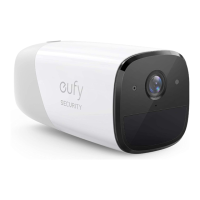





 To Next Page