Brief description eurogard ServiceRouter V2 4/23
eurogard GmbH Kaiserstraße 100 D-52134 Herzogenrath T.: +49/2407/9516-0 F: +49/2407/9516-23 www.eurogard.de
Creating a DynDNS account
If the ServiceRouter is to be operated as VPN server, its current IP has to be
traceable for the client wishing to connect. This issue is resolved via the Internet
service DynDNS.com.
At www.dyndns.com an account has to be created for every ServiceRouter–
Server which cannot be accessed via a static IP in the Internet.
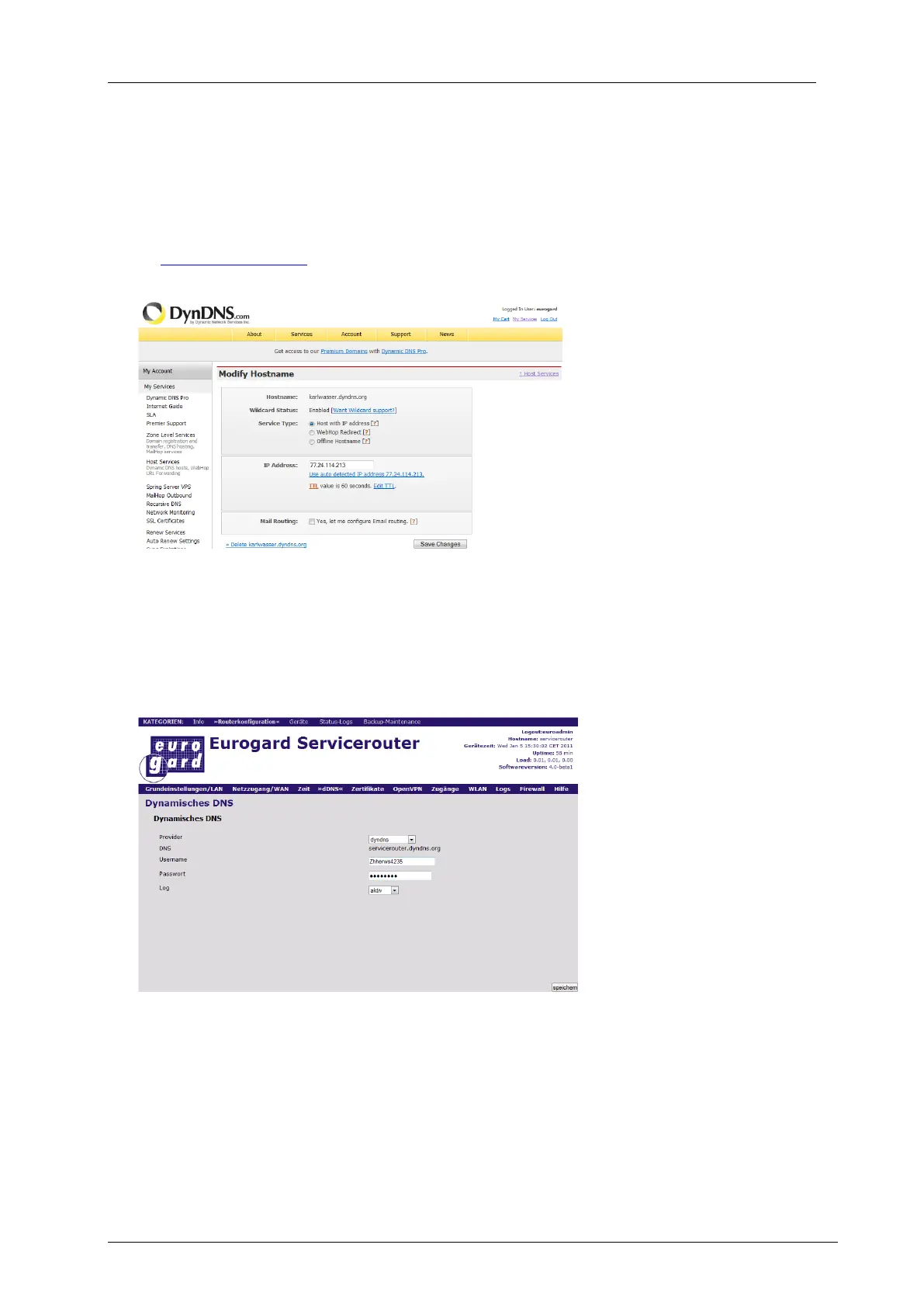
Account -> My Services
opens the page shown on
the left. The screen is self-
explanatory and allows for
two free entries.
Access data saved
here subsequently
has to be entered into
the Router.
In case you want to
use the proxy
functions for
visualization purposes, the wildcard function is required, available with the
commercial DynDNS-Pro-Version.
Router configuration: dDNS – Settings of the DynDNS service
Activate the DynDNS-
service at the Router and
enter username and
password of your account
created for this Router.
The Router domain
registered with DynDNS is
entered in the menu item
‘Grundeinstellungen/LAN’
(Basic settings).


 To Next Page
 Loading...