Brief description eurogard ServiceRouter V2 6/23
eurogard GmbH Kaiserstraße 100 D-52134 Herzogenrath T.: +49/2407/9516-0 F: +49/2407/9516-23 www.eurogard.de
Functions for users
User-Login
Before the user can access the operating sides of the PLC network, the Router has
to be configurated by the administrator and an account has to be set up in the user
area.
If the Proxy functionality is to be used, at least one webserver in the PLC network
should be created in the Proxy server list, under „Geräte-Webweiterleitung“.
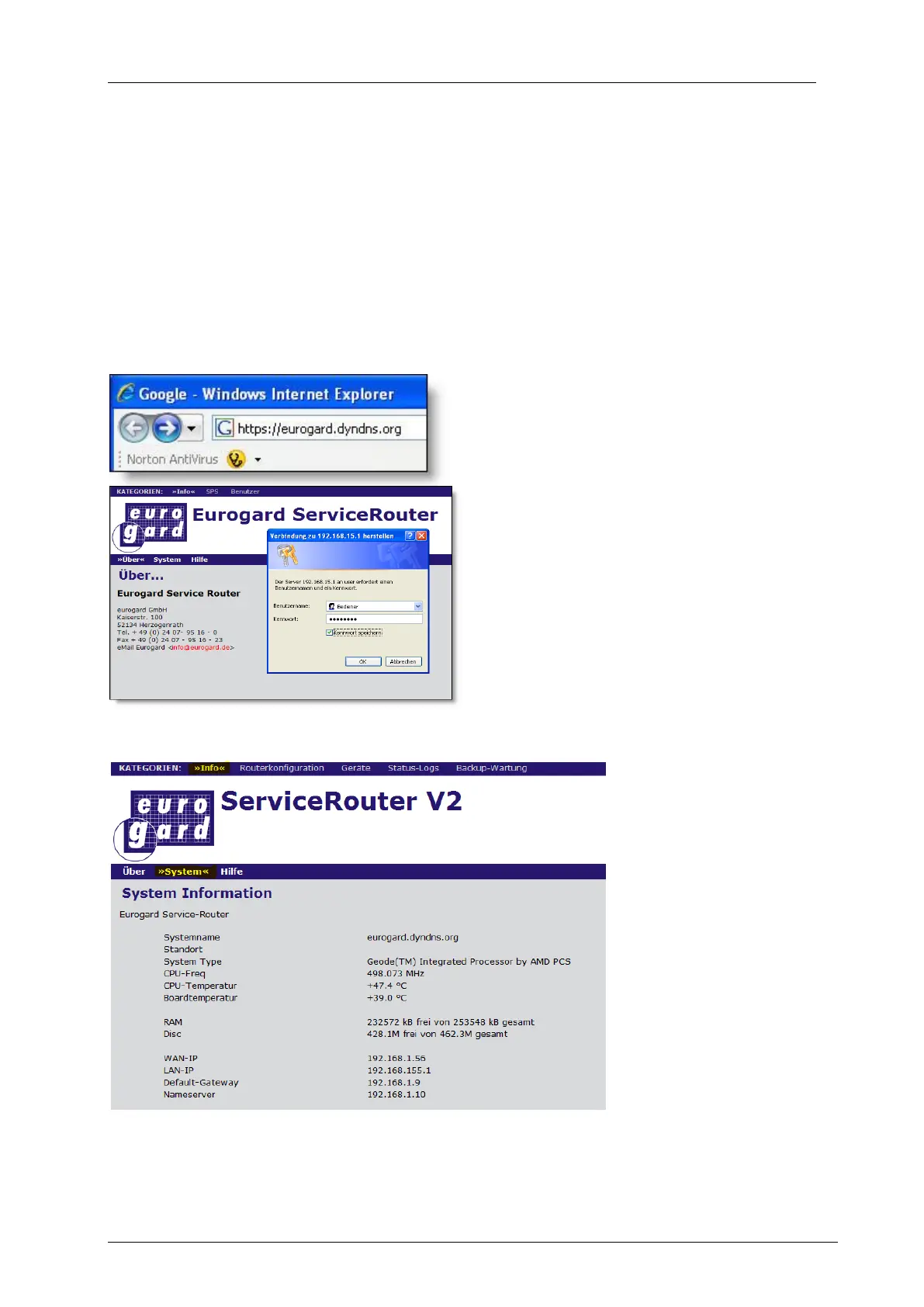
As a standard, communication with the WAN side of the Router takes place via a
secure SSL connection, chosen in the browser by entering https://.
This is followed either by an IP-number
(e.g. 192.168.10.100 as local WAN-IP) or
the DynDNS name, under which the
Router can be accessed in the Internet.
After connection set up, the user
interface of the Router is displayed.
In order to select a menu item, user login
is required.
Menu items for the user: Info-System
The info area provides
information about the
Router itself, eg the
size of the internal disk
and available disk
space is displayed
here, as well as the
temperatures
measured on the
board.



 To Next Page
 Loading...