Brief description eurogard ServiceRouter V2 8/23
eurogard GmbH Kaiserstraße 100 D-52134 Herzogenrath T.: +49/2407/9516-0 F: +49/2407/9516-23 www.eurogard.de
Administration of the ServiceRouter
Establishing first contact
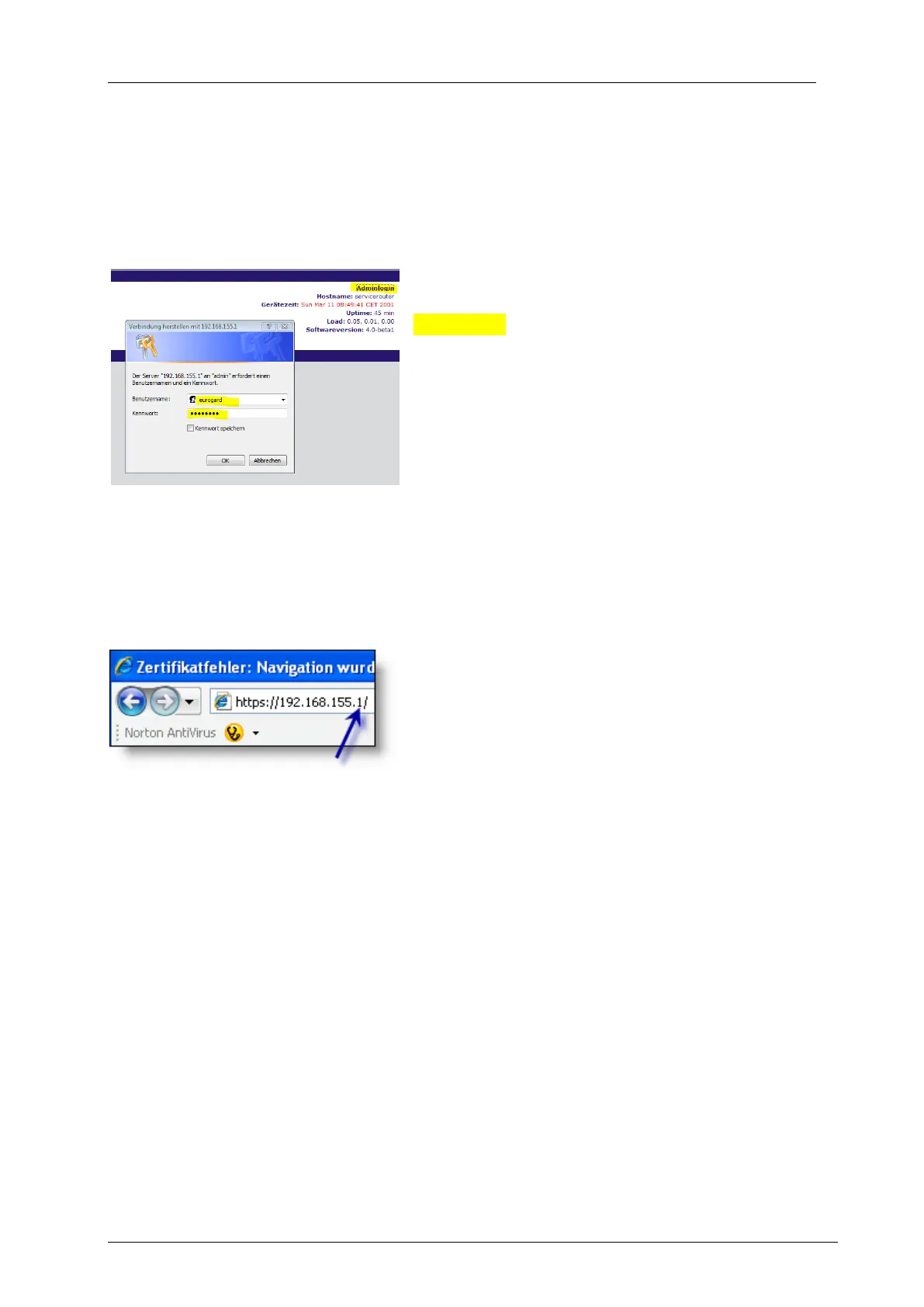
The ServiceRouter is connected to the PC via a LAN port. Default IP for accessing
the web interface is: 192.168.155.1.
Local settings
Allow the Router to assign an IP address. Click
Adminlogin in order to change to the
administration area and enter „eurogard“
(default) as user name and password. Go
through the configuration menu in in the order
described below. Please change the password
(see Access – Creating User and Admin
accounts) at a later point in time!
The following parameters are set as default on initial power-up:
WAN / Internet: Connection Ethernet,
DHCP-Client, waiting for IP from the customer network.
LAN: DHCP-Server on: As soon as you connect
a PC to the LAN side via ETHERNET, the
Router attempts to allocate an IP to this PC via
DHCP protocol.
DynDNS: no connection allocated
WLAN: deactivated
Accounts: the device is delivered with the following Administrator / User accounts:
Admin: User: eurogard
Password: eurogard
Settings: Name: Servicerouter
Domain: dyndns.org
Language: German
VPN: No certificates generated, either for the Router or for the user.



 To Next Page