0508082010/100504/D VisionAir - ElectroMax
User manual
EN - 7
User manual
1 INTRODUCTION
This manual provides instructions for the mounting/installation,
control and maintenance of the air cleaner. Also included are
the installation and control of the optional features. The safety
instructions should be read first.
Note: the package also contains the remote control and the
FreeBreeze fragrance cartridges.
2 PRODUCT DESCRIPTION
2.1 Filter package
See fig. 1 on page 60
The polluted air is cleaned in three successive stages.
2.1.1 PreFilter [A]
The pre-filter traps the coarser dust particles and other
pollutants.
2.1.2 ElectroMax filter [B]
The ElectroMax filter has a very high efficiency and traps dirt
particles larger than 0.01 micron.
2.1.3 Activated carbon filter [C]
The activated carbon filter adsorbs unpleasant smells.
2.2 FreeBreeze [D]
The FreeBreeze fragrance cartridges that give the treated air a
nice clean odour are standard.
2.3 Optional features
The functionality of the air cleaner can be increased with the
following optional features:
2.3.1 AirMonitor
The AirMonitor measures the local pollution continuously and
adjusts the fan speed accordingly. The AirMonitor is sensitive
to pollution in gaseous form that occurs in, for example,
tobacco smoke.
2.3.2 SterilAir
Microorganisms such as bacteria, viruses and fungi, are
destroyed by the radiation of the UV-lights in the SterilAir. The
UV-lights are switched on automatically when the air cleaner's
fan operates. The exception is when the AirMonitor analyses
the polluted air (see section 2.3.1).
2.3.3 OdourFree
The standard activated carbon filter can be replaced by the
OdourFree filter when nauseous smells need to be suppressed.
3 MOUNTING/INSTALLATION
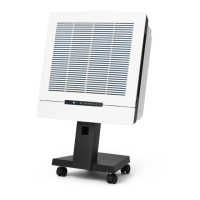
3.1 VisionAir
The air cleaner can be installed in several ways using different
installation kits. There is no fixing material for mounting to or in
the ceiling or wall in these kits. Ensure that the carrying
capacity of the mounting devices is sufficient. The weights of
the VisionAir
1
and VisonAir
2
are 16.5 kg and 32.5 kg
respectively.
3.2 AirMonitor and SterilAir
The AirMonitor and SterilAir may only be installed by the
distributor or by authorised persons.
4 CONTROL
4.1 Control of the air cleaner
4.1.1 Control through the control panel on the unit
See fig. 2 on page 60
The air cleaner can be controlled manually using the >> button
[A] on the display [see fig. 1E]. The fan mode shifts from
STANDBY [B] to the following speeds [C]: •••• (turbo), ••• (high),
•• (medium) and • (low).
Pressing the >> button once more returns the air cleaner to
STANDBY mode.
4.1.2 Infrared remote control
See fig. 3 on page 60
The air cleaner can also be controlled by the remote control
included. The four modes (•, ••, •••, ••••) [A] on the remote
control correspond with the four fan speeds on the display of
the unit.
The air cleaner can be switched off using the
OFF button [B].
The V and W button [C] can be used to shift the operating mode
of the air cleaner to a higher or lower fan speed, including the
STANDBY mode.
The fan will always start at high rpm (=shot start; duration 1.5
seconds).
The air cleaner memorises the last-used fan setting and will
restart at this setting when switched on again or reconnected
to the mains.
4.2 Setting the X-Changer
See fig. 3 on page 60
The X-Changer indicates the life of the ElectroMax filter for the
particular local conditions. The
PROGRAM button [D] can be used
to adjust the setting of the X-Changer.
4.2.1 Setting for particular conditions
Push the
PROGRAM button (the STANDBY-led starts to blink). The
particular condition can now be set by the V and W button. The
number of leds activated reflects the following conditions:
• (low duty); for general pollution without tobacco smoke
•• (medium duty); for air that is polluted moderately by tobacco
smoke
••• (heavy duty); for air that is heavily polluted by tobacco
smoke
•••• (extreme duty); for air that is pervaded by tobacco smoke
4.2.2 Acknowledgement of the setting
Acknowledge the selected setting by pressing the
PROGRAM
button again (the STANDBY led blinks twice with only a small
time interval between the first and second blink).
You may now choose between the following options:
A Return to the normal control programme: push the
PROGRAM
button again.
B Reset the X-Changer: push the
OFF button.



 To Next Page
 Loading...