
 Need help?
Do you have a question about the EUROSETS ECMOLIFE and is the answer not in the manual?
Key safety information and warnings for correct and safe operation of the ECMOLIFE System.
Glossary of terms and components relevant to the ECMOLIFE System and its operation.
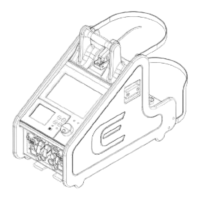
Overview of the ECMOLIFE System, its core components, and integrated backup features.
Defines the system's function as an extra-corporeal perfusion pump for circulatory support.
Specifies the patient demographics and conditions for which the system is intended.
Lists approved medical support procedures, such as CPB and ECMO, for the system.
States that there are no contraindications for the use of the ECMOLIFE System.
Identifies target users and suitable hospital environments for operating the ECMOLIFE System.
Outlines the potential clinical advantages and outcomes of using the ECMOLIFE System.
Details potential risks, side effects, and adverse reactions associated with extracorporeal circulation.
Crucial warnings covering device safety, patient care, and transport procedures for overall system use.
Important cautions regarding handling, cleaning, and modifications to prevent device damage or failure.
Lists compatible and recommended medical devices and accessories for use with the system.
Explains the meaning of various symbols used on the device and in the manual for user guidance.
Refers to technical specifications for appropriate transport and storage requirements.
Outlines the warranty terms, duration, and conditions for the ECMOLIFE System.
Comprehensive overview of the ECMOLIFE System's primary components and their functions.
Detailed description of the console unit and its integrated parts.
Identification and explanation of connections and controls on the front panel of the console.
Identification and explanation of connections and ports on the rear panel of the console.
Details on disposable cuvettes used for venous probe connection and tubing set compatibility.
Step-by-step guide for correctly attaching the venous probe to the cuvette.
Instructions for properly installing the clamp-on flowmeter sensor onto the tubing.
Guidance on ensuring accurate flow measurements between ECMOLIFE and LANDING monitors.
Procedures for connecting the bubble sensor to the appropriate location on the tubing.
Instructions for connecting logical and Smith Medical pressure sensors to the console.
Instructions for connecting Edwards pressure sensors and their associated cables to the console.
Outlines the two main display areas of the system: Primary Unit and Backup Unit.
Details the display layout, status bar, and color-coded alarm indicators of the Primary Unit.
Explains the functions accessible through the toolbar icons on the Primary Unit's touchscreen interface.
Comprehensive list of parameters, their measurement ranges, units, and accuracy specifications.
Covers the core operational features and procedures of the Primary Unit.
Step-by-step guide for powering on the device and selecting system configurations.
Explains the diagnostic process for verifying sensor connectivity and system readiness.
Describes how to set and save parameter configurations for different patient types (Adult/Paediatric, New Born).
Details the procedures for priming the extracorporeal circuit, including automatic and self-learning functions.
Explains how to operate the device by setting RPM and blood flow values in monitoring modes.
Describes enabling and using the Blood Flow Monitoring Mode for automatic RPM adjustment.
Illustrates how the activation status of LPM control is visually indicated on the display.
Explains how to configure and manage alarm limits and parameter thresholds within the system.
Specifies alarm limits and default thresholds for Adult and Paediatric patient settings.
Specifies alarm limits and default thresholds for New Born patient settings.
Details the device's behavior and alarms when blood flow is set to zero, ensuring safety.
Defines the priority levels and color coding for different types of system alarms.
Describes the high-priority alarm triggered by air bubble detection in the circuit.
Explains the high-priority alarm for critical blood flow detection failures.
Covers medium-priority alarms for secondary parameters, requiring timely intervention.
Details low-priority alarms for secondary parameters that need attention.
Explains the functionality to temporarily silence alarms for a specified duration.
Describes how to acknowledge active alarms, ensuring their status is managed.
Refers to Annex 1 for a comprehensive list of primary unit alarms and their corresponding corrective actions.
Provides instructions for mechanically and functionally connecting the ECMOLIFE and COLIBRÌ systems.
Covers the operational aspects and interactions of the combined ECMOLIFE-COLIBRÌ system.
Guides on selecting the Colibrì configuration and managing system startup and interaction.
Explains the diagnostic checks performed when the Colibrì system is connected and operational.
Details the monitoring and control operations during the treatment phase with the combined system.
Describes accessing the Colibrì menu to check status, battery levels, and manage Wi-Fi module.
Covers how the combined system detects, displays, and manages alarms.
Explains how the ECMOLIFE unit manages and displays the Colibrì's internal battery status.
Guides on safely disconnecting the ECMOLIFE system from the Colibrì system.
Details the process of selecting, adjusting, and confirming parameters for the combined system.
Explains how to activate parameter selection for modification on the ECMOLIFE display.
Describes using controls to adjust parameter values for the combined system.
Outlines the confirmation or cancellation process for parameter edits in the combined system.
Covers the screen locking functionalities for both ECMOLIFE and Colibrì displays to prevent unauthorized changes.
Explains how to manually and automatically lock the ECMOLIFE display screen.
Describes the screen lock behavior of the Colibrì display when connected to the ECMOLIFE console.
Provides an overview of the Backup Unit's essential display view and its components.
Explains the functions and icons available on the Backup Unit's toolbar.
Lists parameters displayed on the Backup Unit screen, including their measurement ranges and accuracy.
Covers the essential operations performed by the Backup Unit for patient blood flow circulation.
Outlines the initial power-on procedure for the Backup Unit, leading to the diagnostic page.
Explains the diagnostic checks for motor driver and flowmeter connectivity on the Backup Unit.
Explains how to set and manage alarm limits for parameters on the Backup Unit.
Specifies alarm limits and default thresholds for Adult/Paediatric configurations on the Backup Unit.
Specifies alarm limits and default thresholds for New Born configurations on the Backup Unit.
Details the zero flow mode and associated alarms for the Backup Unit to ensure safety.
Defines the priority levels and color coding for alarms within the Backup Unit.
Covers the high-priority alarm for blood flow detection issues on the Backup Unit.
Explains the functionality to temporarily silence alarms on the Backup Unit.
Describes the process for acknowledging active alarms on the Backup Unit.
Discusses the device's operation on internal batteries and mains power, including battery life.
Explains the use of external auxiliary batteries for extended power or during transport.
Information on the approximate operating time from a fully charged battery.
Clarifies the meaning of button backlights and battery status LEDs for user feedback.
Illustrates the different supply modes based on mains and battery power indicators.
Covers trolleys, plate holders, and power modules for safely transporting the ECMOLIFE console.
Lists the classification and relevant regulatory standards applied to the ECMOLIFE System.
Specifies the environmental conditions required for safe and effective operation, storage, and transport.
Details specifications for airflow, heat emission, displays, keyboard, acoustic energy, dimensions, weight, and sensors.
Provides detailed specifications, including measurement ranges and accuracy, for various pressure sensors.
Outlines power supply, insulation, voltage, absorbed power, and fuse details for the ECMOLIFE System.
Manufacturer's declarations on electromagnetic emissions and their compliance levels.
Manufacturer's declarations on the system's immunity to electromagnetic interference.
Specifies the recommended replacement interval for the rechargeable internal battery pack.
Outlines the schedule and requirements for periodic maintenance by authorized personnel.
Details the procedure and authorization requirements for replacing the internal battery.
Advises users on how to handle device malfunctions and when to contact technical support.
States the expected lifespan of the medical equipment, contingent on adherence to maintenance schedules.
Lists the necessary materials, including cleaning solutions and disinfectants, for device maintenance.
Provides detailed instructions and critical areas for thorough cleaning of the device's exterior.
Guides on disinfecting the device after cleaning, ensuring no liquid enters sensitive parts.
Comprehensive table detailing primary unit alarms, their causes, priorities, and corrective actions.
Comprehensive table detailing backup unit alarms, their causes, priorities, and corrective actions.
 General
| Brand | EUROSETS |
|---|---|
| Model | ECMOLIFE |
| Category | Medical Equipment |
| Language | English |

 To Next Page