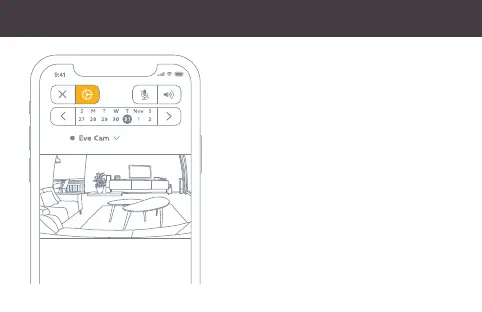
To adjust the settings of Eve Cam, tap the
Settings icon in the video feed of the Home app
on your iPhone or iPad.
Um die Einstellungen von Eve Cam zu ändern,
tippe in der Videoansicht der Home-App auf das
Einstellungen-Symbol.
Pour configurer les réglages d’Eve Cam, touchez
l’icône Réglages affichée sur le flux vidéo de l’app
Maison sur votre iPhone ou iPad.
Enjoy
•
Viel Spaß
•
Profitez-en bien


 To Next Page