2
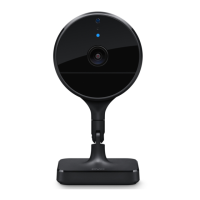
Connect Eve Cam to the USB power supply (5V, at least 1A) via the included
USB cable and turn the camera towards the area you would like to view.
Verbinde Eve Cam über das mitgelieferte USB-Kabel mit dem USB-Netzteil
(5 V, mindestens 1 A) und richte die Kamera auf den zu beobachtenden Bereich.
Branchez Eve Cam à une alimentation USB (5 V, minimum 1 A) au moyen du câble
USB fourni, puis orientez la caméra vers la zone à observer.
Get started
•
Erste Schritte
•
Prise en main


 To Next Page