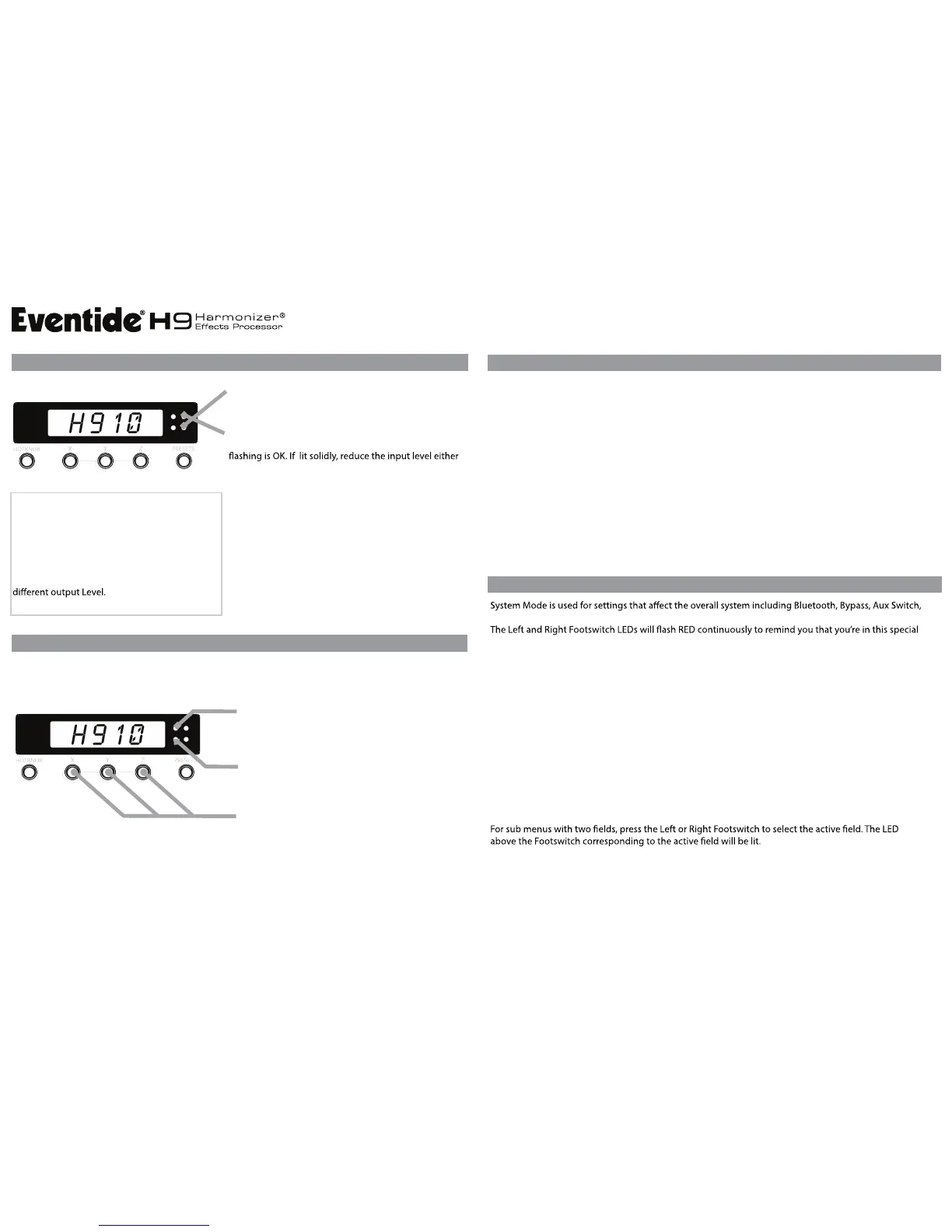
To set a Preset’s Output Level:
1. Press Left Footswitch to Bypass the Preset.
2. Press and hold Left Footswitch for 2 seconds.
3. Turn Knob to adjust output level.
Re-save the Preset and the adjusted Output Level
will ‘stick’ for that Preset. Each Preset can have a
To set Global Input Level:
1. With Active LED lit, press and hold Left Footswitch for 2
seconds.
2. Turn Knob to adjust input level.
3. After a few seconds, the unit will return to normal
operation.
Input level setting is not saved with Presets. The input
level setting is global and is saved when power is turned
Signal Present LED
Peak LED (Signal Clip)
Red LED lights when close to clipping. Occasional
by reducing the signal level fed to the H9 or by lowering
the H9’s Global Input Level.
Green LED shows signal present of at least -40dB.
LEVELS
by simultaneously pressing the X, Y, and Z buttons.
Bluetooth ON Status
Bluetooth Paired Status
Pair your H9 with an iOS Bluetooth device to use H9 Control, a feature-rich remote control app.
Lights when Bluetooth is ON. Flashes to indicate active
communications between your H9 and iOS device.
BLUETOOTH
SYSTEM MODE
TUNER
Toggle Bluetooth ON / OFF
For detailed instructions about pairing, see the Help guide of the H9 Control app.
Note: H9 Control is available for Mac and PC using a USB cable.
Lights when paired. The default PIN is the last
four digits of your H9’s serial number.
QUICK REFERENCE GUIDE
©2013 EVENTIDE INC., ONE ALSAN WAY, LITTLE FERRY, NJ 07643 USA EVENTIDE.COM
EVENTIDE AND HARMONIZER ARE TRADEMARKS OF EVENTIDE, INC.
MIDI, Global, Tuner, and Utilities. Upon entering System Mode, you’re at the top-level menu selection.
mode. The Edited LED is OFF in System Mode.
To Enter/Exit System Mode
Press and hold the HOTKNOB button and Right Footswitch simultaneously for a few seconds to enter
and exit the System Mode.
System Mode Navigation
At the top-level, turn the Knob to scroll through the top-level choices.
Push the HOTKNOB button to step down into the menu tree.
Press the PRESET button to step up the menu tree.
Turn the Knob to scroll through menu items or parameter selections or values.
To Use the Tuner
Press and hold both the Left Footswitch and Right Footswitch for 2 seconds.
When you play a note the LightRing indicates the degree to which you’re in or out of tune while the
display indicates the note. With the LightRing lit at twelve o’clock you’re in tune.
To Exit the Tuner
Press either Footswitch.
When the Tuner is enabled the H9’s audio output is normally muted.
The default reference frequency for the Tuner is “A” 440 Hz.
You can adjust the reference frequency and change Mute/Bypass setting in System Mode.


 To Previous Page
 Loading...