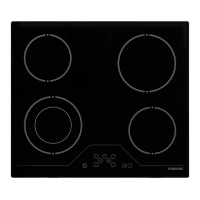
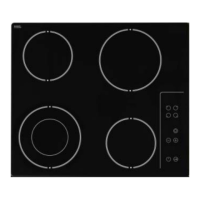
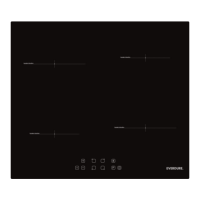
EASY DECISION.
Selecting A Cooking Zone
With the appliance in Operating-Mode, and the decimal points of all cooking zones flashing, select a
particular cooking zone by pressing the corresponding Active/Deactivate Button and the Decimal Point
of the chosen cooking zone will light up (all others will turn off). Adjust the Power level between 1-9 by
touching the Power Level Buttons or (while the decimal point is lit). Press the Active/Deactivate Button
again to deselect the cooking zone, or the Active/Deactivate Button of another hotplate.
If left idle with the power setting left at “0”, the decimal point on the selected cooking zone will turn off (all
decimal points will begin to flash again) and the Power Level Buttons will no longer operate that cooking
zone unless that cooking zone is selected again with the Activate/Deactivate button.
The Power Level Display works on a thermostat system. This means that the Cooking zone will switch on
and off (radiating red when on) in order to remain at the chosen power level. NOTE the cooking zone will
remain on for longer periods if a higher power level is chosen, alternatively the cooking zone will be on less
regularly on lower power level settings.
Turning On The Dual Zone
The cooking zone to the front left side has an optional dual zone function, which allows it to be used with
small or large cookware. First select the cooking zone & set a power level. Next, activate the dual zone by
pressing the dual zone select button
. This is confirmed by a beep signal and the Dual Zone Indicator will
light up. Touching
for a second time turns the dual zone off.
NOTE: The dual zone can be activated only after a power setting between 1 & 9 is set on that cooking zone.
Setting The Cooking Level With and Without Heat Boost
Every cooking zone is equipped with an optional heat boost function. The function uses maximum power on
the selected cooking zone for a length of time set by the power level setting.
First, select a cooking zone (power level 0). Press the minus “-“ button so the power level goes to 9 (or
lower, down to 1). The power level display will alternate between the set power level and “A”, indicating
the boost function has started. This will continue until the boost function has finished, and only the power
level is displayed.
To stop this function, press the “+” & “-“ buttons together (the power level display for the selected cooking
zone will revert to “0”).
Turning Off Individual Cooking Zones
A particular cooking zone can be turned off in 2 different ways:
· Simultaneous operation of the “+” and “-“ buttons.
· Reduction of the power level to “0“ by operating the “-“ button.
If the cooking zone happens to be running a dual zone at the time, the Dual Zone Indicator will also turn off.
If there is any residual heat remaining in a cooking zone, this will be indicated on the correspondent Power
Level Display as a red “H”.
- Simultaneous operation of the “+” and “-“ buttons
The specific cooking zone must be selected with the Active/Deactivate Button so the decimal point of the
cooking zone Power Level Display is lit. Press the “+” & “-“ buttons together. A beep signal sounds and
“0“ appears in the Power Level Display to indicate the cooking zone has turned off.
- Reduction of the power level to ´0` by operating “-“ button
The cooking zone can also be turned off by reducing the power level to “0“. The specific cooking zone
must be selected with the Active/Deactivate Button so the decimal point of the cooking zone Power Level
Display is lit. Press the “-“ button until the Power Level Display indicates “0“, which means the cooking
zone is no longer running.
9


 To Next Page
 Loading...