Operation
11
Everest units are equipped with a Carel Digital Temperature Control. The type of controller is dependent on
the model and production date.
Carel ‘Easy’ Digital Temperature Control
Setting the Temperature
1. Press and hold Temperature Set Button
for 2 seconds until the LED blinks
SET
alternating with a number. The blinking number is the current set temperature.
CAUTION: If PS appears on the LED
This means the Temperature Set button was held down longer than 3
seconds. To exit this mode and restart, press Temperature Set Button
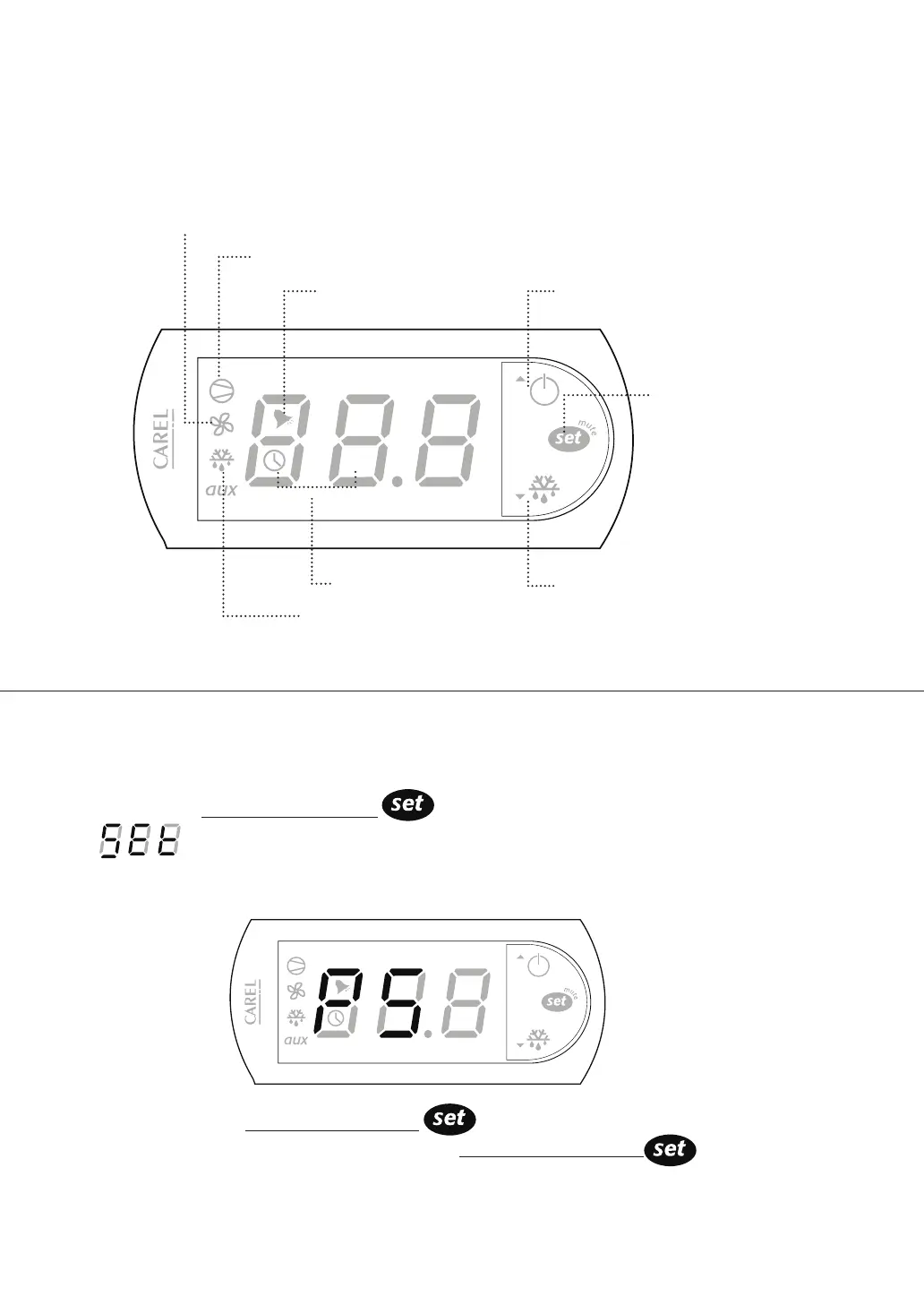
Alarm in Progress
Compressor Running
Power / Up Button
Cabinet in Defrost
Manual Defrost / Down Button
Evaporator Fan Running
Temperature
Set Button
Cabinet Temperature



 To Next Page