33
ENGLISH
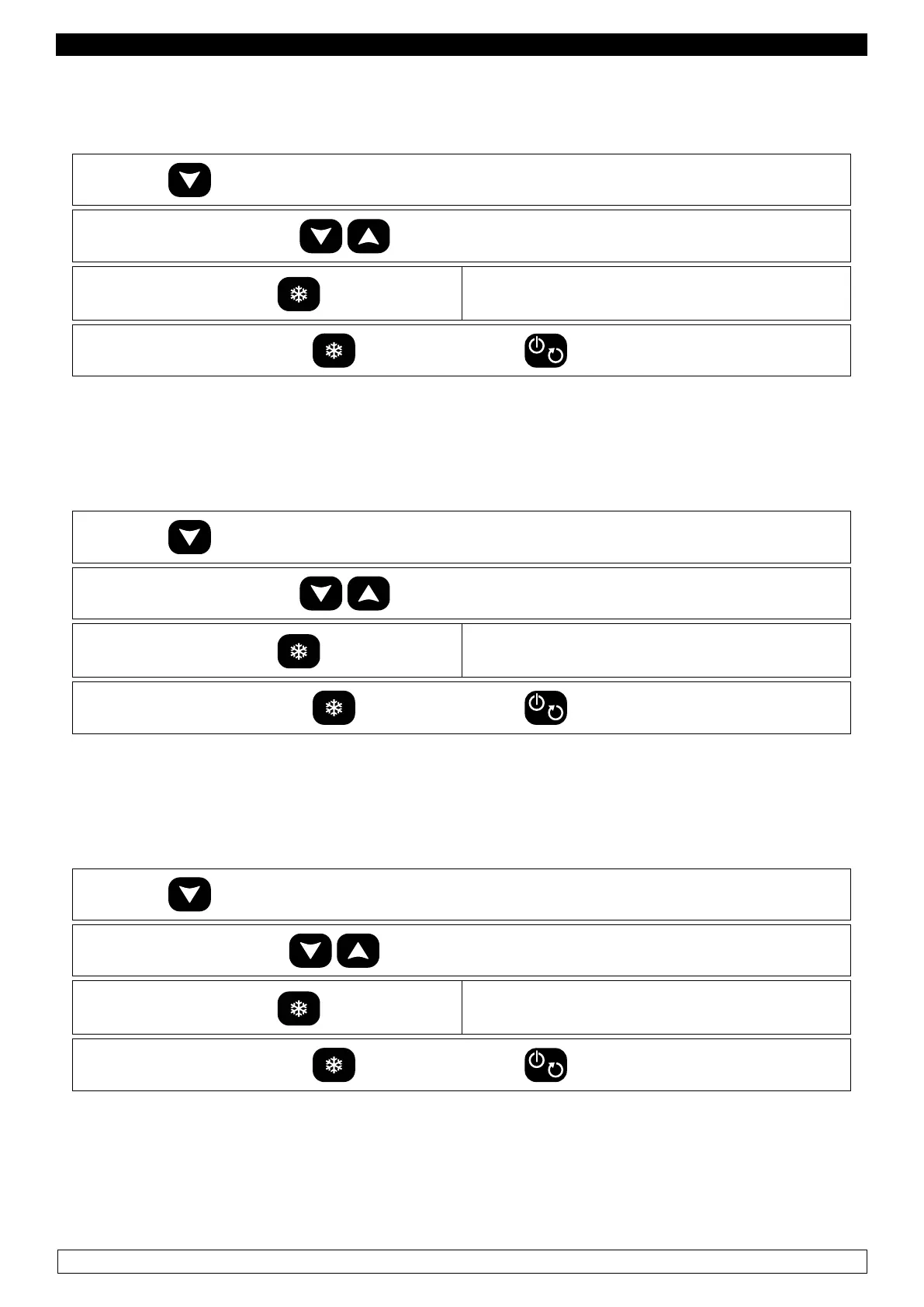
DISPLAYING DETECTED BY CORE PROBE
- Make sure the keyboard is not locked (chapter 11) and that no procedures are being carried out
► Press the
key for 3 seconds
► Select “Pb 2” label with the
keys
►
Press and release the key
the display shows the temperature detected by
the core probe.
► To go back to menu press the , key, to exit press the
key or do not operate for 15 seconds.
DISPLAYING DETECTED BY EVAPORATOR PROBE
- Make sure the keyboard is not locked (chapter 11) and that no procedures are being carried out
► Press the
key for 3 seconds
► Select “Pb 3” label with the
keys
►
Press and release the key
the display shows the temperature detected by
the evaporator probe.
► To go back to menu press the , key, to exit press the
key or do not operate for 15 seconds.
VIEWING THE HOURS OF OPERATION COMPRESSOR
- Make sure the keyboard is not locked (chapter 11) and that no procedures are being carried out
► Press the
key for 3 seconds
► Select “CH” label with the
keys
►
Press and release the key
the display shows the total hours of operation
compressor
► To go back to menu press the , key, to exit press the
key or do not operate for 15 seconds.


 To Next Page