1. Turn off your computer and disconnect the power cord. Remove the case side cover.
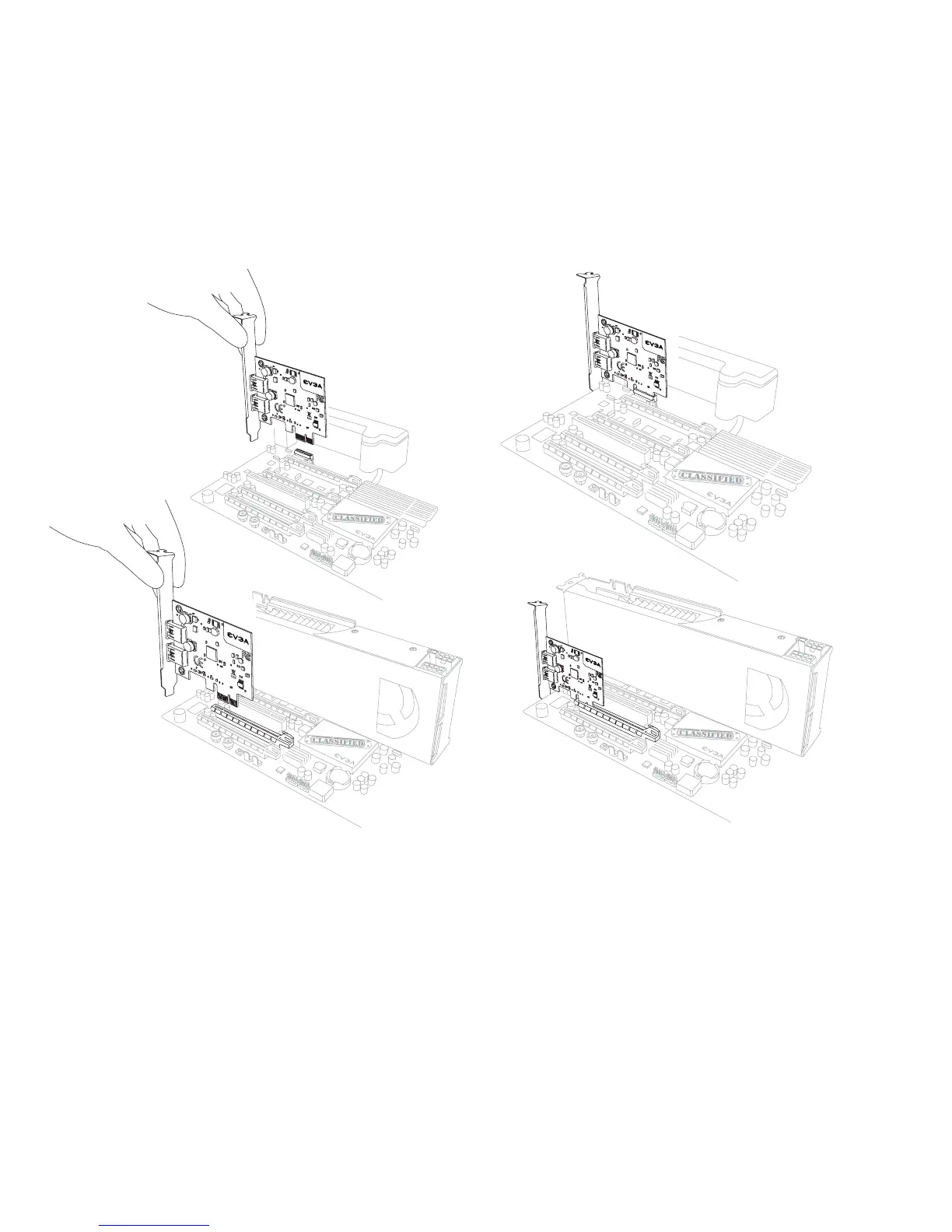
2. Install the EVGA USB 3.0 card into a x1 PCI-E slot. NOTE: If you do not have an empty x1 PCI-E
slot, you can install the card into any open PCI-E slot, the below images show both methods of
installation.
3. Reinstall the cover on your computer and reconnect any cables that you removed earlier during
the installation.
4. Power up your computer.
5. Insert the Driver CD or double click the driver executable that can be downloaded at
www.evga.com/support/drivers. The setup program will take over from that point and guide you
through the installation process.
6. You may need to reboot your PC one or more times during the process and after installation for
the drivers to initialize.



 To Previous Page
 Loading...