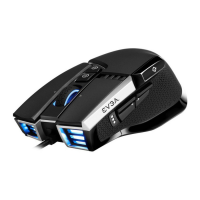
GETTING START YOUR X20 GAMING MOUSE
STEP 2
Turn on your PC / Allumez votre PC / Включите компьютер /
Schalten Sie Ihren PC ein / Enciende tu PC / Accendi il PC /
Ligue o seu PC / 開啟您的PC系統 / 开启您的PC系统
STEP 1
Plug USB Charging/Data Cable to your PC, and the mouse will charge simultaneously /
Branchez le câble USB de charge/données à votre PC et la souris se chargera simultané-
ment / Подсоедините USB-кабель зарядки и передачи данных к своему компьютеру,
при этом мышь начнет заряжаться / Verbinden Sie das USB Lade- und Datenkabel mit
Ihrem PC und die Maus wird gleichzeitig geladen / Enchufa el cable USB de carga/datos a
tu PC, y el mouse se cargará en simultaneo / Collega il cavo USB di carica/ dati al tuo PC, e il
mouse si caricherà contemporaneamente /Conecte o cabo de carregamento / dados USB
ao PC e o mouse será carregado simultaneamente / 將USB充電/傳輸線連接滑鼠與PC,滑鼠也
會同時充電 / 将USB充电/传输线连接鼠标与PC,鼠标也会同时充电


 To Next Page