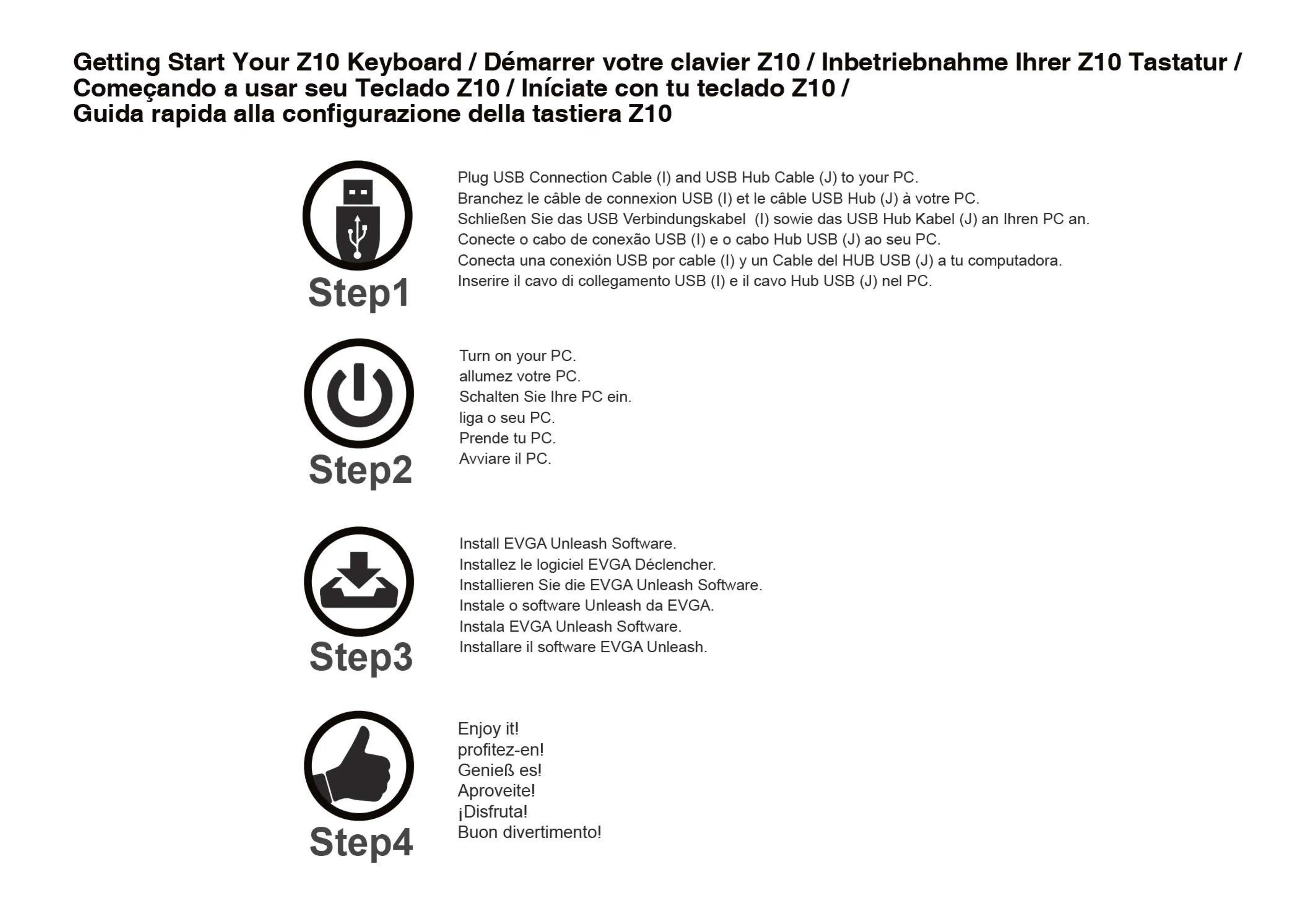
Getting Start Your ZIO Keyboard / Démarrer votre clavier ZIO / Inbetriebnahme Ihrer Zl OTastatur /
Comeqando a usar seu Teclado ZIO / Iniciate con tu teclado ZIO /
Guida rapida alla configurazione della tastiera Zl O
Stepl
Step2
Step3
Step4
Plug USB Connection Cable (l) and USB Hub Cable (J) to your PC.
Branchez le cäble de connexion USB (l) et le cäble USB Hub (J) å votre PC.
Schließen Sie das USB Verbindungskabel (l) sowie das USB Hub Kabel (J) an Ihren PC an.
Conecte o cabo de conexäo USB (l) e o cabo Hub USB (J) ao seu PC.
Conecta una conexiön USB por cable (l) y un Cable del HUB USB (J) a tu computadora.
Inserire il cavo di collegamento USB (l) e il cavo Hub USB (J) nel PC.
Turn on your PC.
allumez votre PC.
Schalten Sie Ihre PC ein.
liga o seu PC.
Avviare il PC.
Install EVGA Unleash Software.
Installez le logiciel EVGA Déclencher.
Installieren Sie die EVGA Unleash Software.
Instale o software Unleash da EVGA.
Instala EVGA Unleash Software.
Installare il software EVGA Unleash.
Enjoy it!
profitez-en!
Genieß
Aproveite!
iDisfruta!
Buon divertimento!


 To Next Page
 Loading...