SETTING UP YOUR Z15 RGB GAMING KEYBOARD
Using Your Z15 RGB Gaming Keyboard
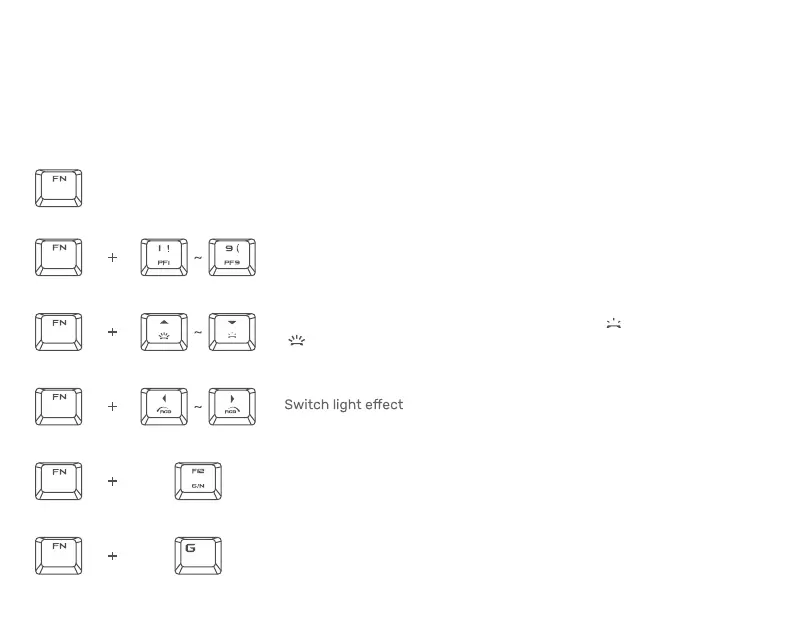
When the "FN" key is held down, all function keys with secondary functions including other
keys which you can combine with the "FN" key will light up. the function keys will activate
their secondary features on your PC.
Switch to Profile 1 ~ Profile 9
The backlight control keys allow you to decrease or increase
the brightness of your keyboard’s LEDs.
Switch to 6 key or N-Key Roll Over
The Gaming Mode disables the Windows Key function to avoid
accidental usage


 To Next Page