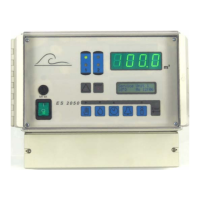
OS3030 Changing and scanning the basic settings
16. Maintenance, "Stop during maintenance" phase
36
Stage 2
Set the time of the sec-
ond stage. The permissi-
ble range is 1 to 9999
minutes.
Enter the data for the
second stage in accor-
dance with step 16.2.
Maintenance interval
If the system is serviced
regular intervals, a length
of time between mainte-
nances can be pro-
grammed. The maintenance is not activated automatically. It must be
started manually. The system works unrestricted until then.
You may set a mainte-
nance interval of be-
tween 1 and 65,000
hours.
WARNING! The maintenance interval is automatically reset to the pro-
grammed interval as soon as the "MAINTENANCE ON" phase is selected
manually or if the setting is changed in this programming step.
17. "Stop during maintenance" phase
In this programming step, specify the phase in which the system should be
before and after the maintenance cycle (programming steps 16.1 to 16.4).
This phase is also used when the "stop" input is activated during the main-
tenance cycle.
In the case of equipment with an IF plug-in card, you also specify whether
the output relay is activated for each of the output functions selected in pro-
gramming steps 6.1 and 6.2.
Specify which valves are
open and whether the
OUT1 and OUT2 outputs,
if present, are activated.
The functions programmed in programming steps 6.1 and 6.2 are shown for
these outputs. Heed the warning shown after programming step 16.2.
The pressure pump cuts out. Therefore, it cannot be programmed in this
stage.
Press INFO to see the meaning of the abbreviation in plain text.
PU = High-pressure pump PV = Permeate valve
IV = Input valve DO = Dosing
CV = Concentrate valve AP = Additional program
S t e p n o . : 1 6 . 3
M a i n t e n a . 2 1 2 0 m
S t e p n o . : 1 6 . 4
P U | I V - C V | P V - D O
-
S t e p n o . : 1 6 . 5
I n t e r v a l Y
/ N
S t e p n o . : 1 6 . 6
I n t e r v a l 5 0 0 h
S t e p n o . : 1 7 . 1
I V - C V - P V - D O
-



 To Next Page
 Loading...