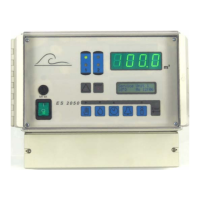
OS3030 Changing and scanning the basic settings
18. Entering the code number
37
18. Entering the code number
If a code number has pre-
viously been defined in
order to prevent unauthor-
ised persons switching on
the maintenance function
or changing the programming, you need to enter this code number before you
can select step 18.1.
If you do not know the code number, continue to process the program or exit
it.
In order to prevent unau-
thorised persons switching
on the MAINTENANCE
phase function or changing
the programming, you can set a personal code number. If you enter "Code
number = No", the current code number is deleted.
WARNING! Keep a record of the newly entered code number. Once you
have entered the new code number, this programming step can no
longer be called up and edited unless you know the code number.
The following function can
be assigned to the code
number:
1 = Only active for the maintenance functions
2 = Only active for calling up the programming mode
3 = Only active for calling up the maintenance functions and for the pro-
gramming mode
Enter your own code number. Any number between 1 and 9999 is permissi-
ble.
If you have changed the
settings in programming
step 18.3, confirm once
again that you wish to im-
plement the changes.
WARNING! Have you taken note of the code number?
S t e p n o . : 1 8 . 0
C o d e n u m b e r * * * *
S t e p n o . : 1 8 . 2
C o d e n u m b e r m o d
e 1
S t e p n o . : 1 8 . 3
C o d e n u m b e r * * * *
S t e p n o . : 1 8 . 1
C o d e n u m b e r Y
/ N
A t t e n t i o n C h a n
g
e
c o d e n u m b e r Y
/ N



 To Next Page
 Loading...