English
1×
1s
1×
1×
1s
2×
ANC OFF Ambient sound ANC ON
1×
Game Mode
Music Mode
2×
Ver. 20240502
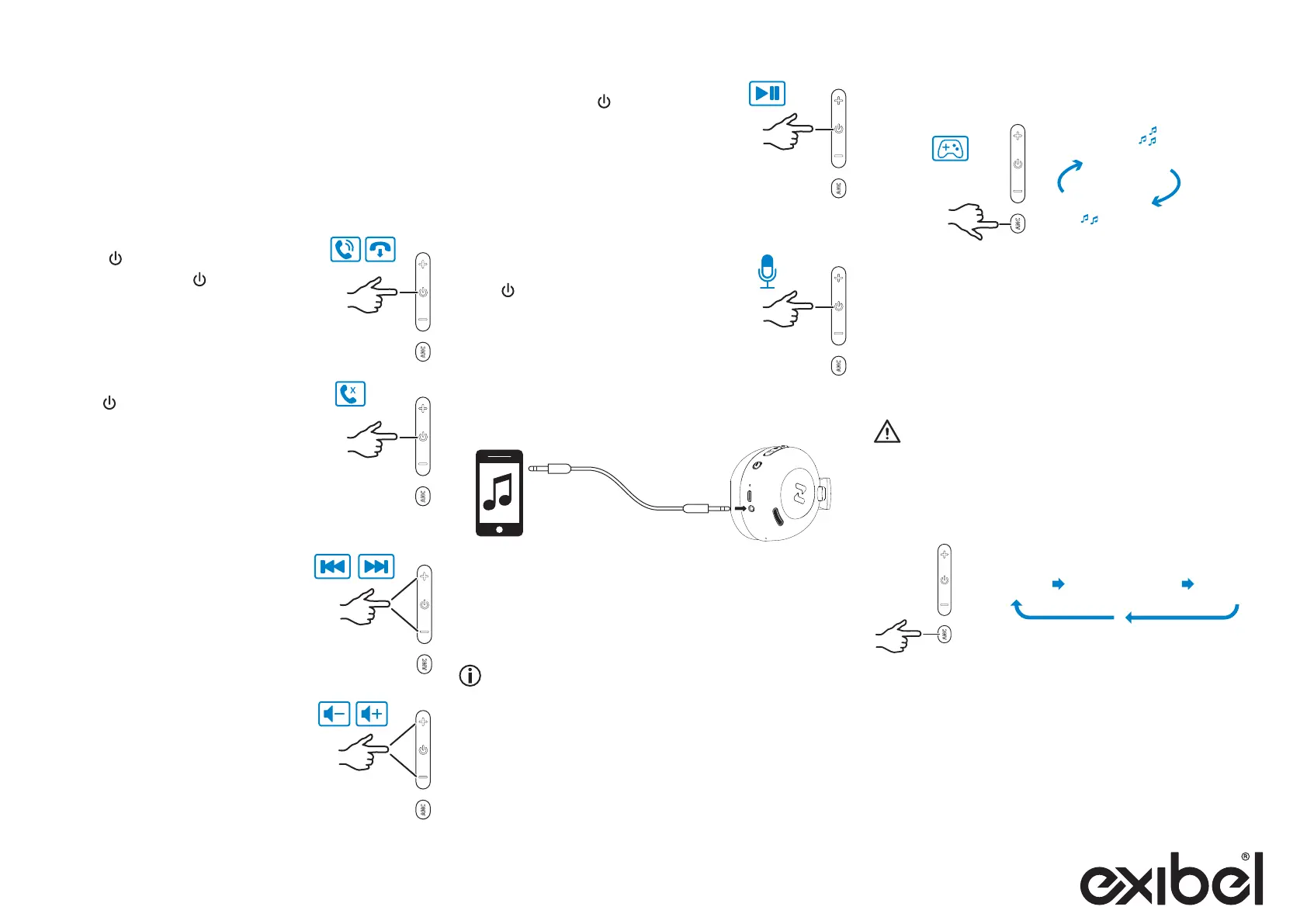
Call management
• Answering anincoming call:
Press [ ] once.
• Ending acall: Press [ ] once.
• Rejecting anincoming call:
Hold [ ] for 1 second.
Audio listening
• Go to thenext track:
Hold [ + ] for 1 second.
• Go to theprevious track:
Hold [ − ] for 1 second.
• Increase thevolume: Press [ + ] once.
• Decrease thevolume: Press [ − ] once.
• Play/pause: Press [ ] once.
Siri/Google assistant
Note: Applies only to certain phone models.
Press [ ] twice to activate Siri/Google
Assistant.
Connecting an external device via audio cable
1. Connect a3.5 mm audio cable between theheadphones
and your external device
(The headphones are automatically switched off
if they are on).
2. Start playback and adjust thevolume on thedevice.
You cannot change tracks on theheadphones using
thebuttons when anexternal device is connected via thecable.
Press [ ANC ] repeatadley to turn switch between active noise
cancellation off - ambient sound - active noise cancellation on.
Current mode is indicated by a voice prompt.
The ANC feature reduces noise with thehelp of microphones
and an ANC circuit that actively catch and analyse noise and
then dampen background noise before it reaches your ears.
Warning
Do not use this feature in situations where it poses apossible
danger to yourself or others due to your inability to clearly hear
your surroundings.
Press [ ANC ] 2 times to change from ”Music mode” to ”Gaming
mode”, press 2 times again to change back to ”Music mode”.
ANC (Active Noise Cancelling)
Music mode/Play mode
Note!
• The headphones will automatically connect to the device
it was connected to last (provided that Bluetooth mode is
activated on your device).
• If you want to connect another device, follow the same steps
1−4 above.



 To Next Page