17
2021
EN
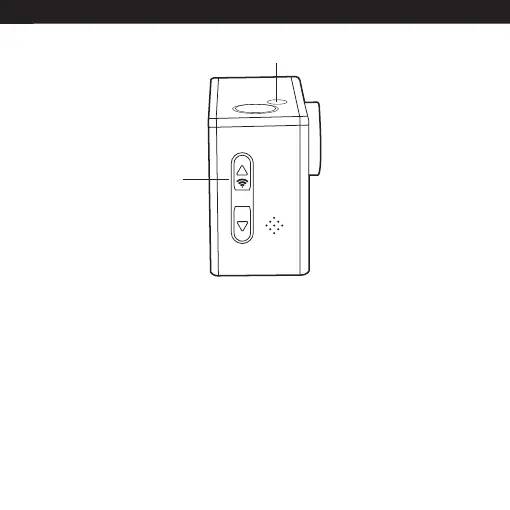
WiFi
Button
Status Light
WiFi signal not stable?
WiFi signal susceptible to interference, make sure the phone is not held too far away from the
camera to prevent loss of signal.
Unable to connect to WiFi?
First, make sure your smart device’s WiFi is turned on. Press the power button on the camera
and press the WiFi button on the side of the device. The WiFi logo will appear on the screen. If
no connection, it is recommended to power off and power on both the camera and your smart
device and repeat the steps. Also check for any app updates.


 To Next Page