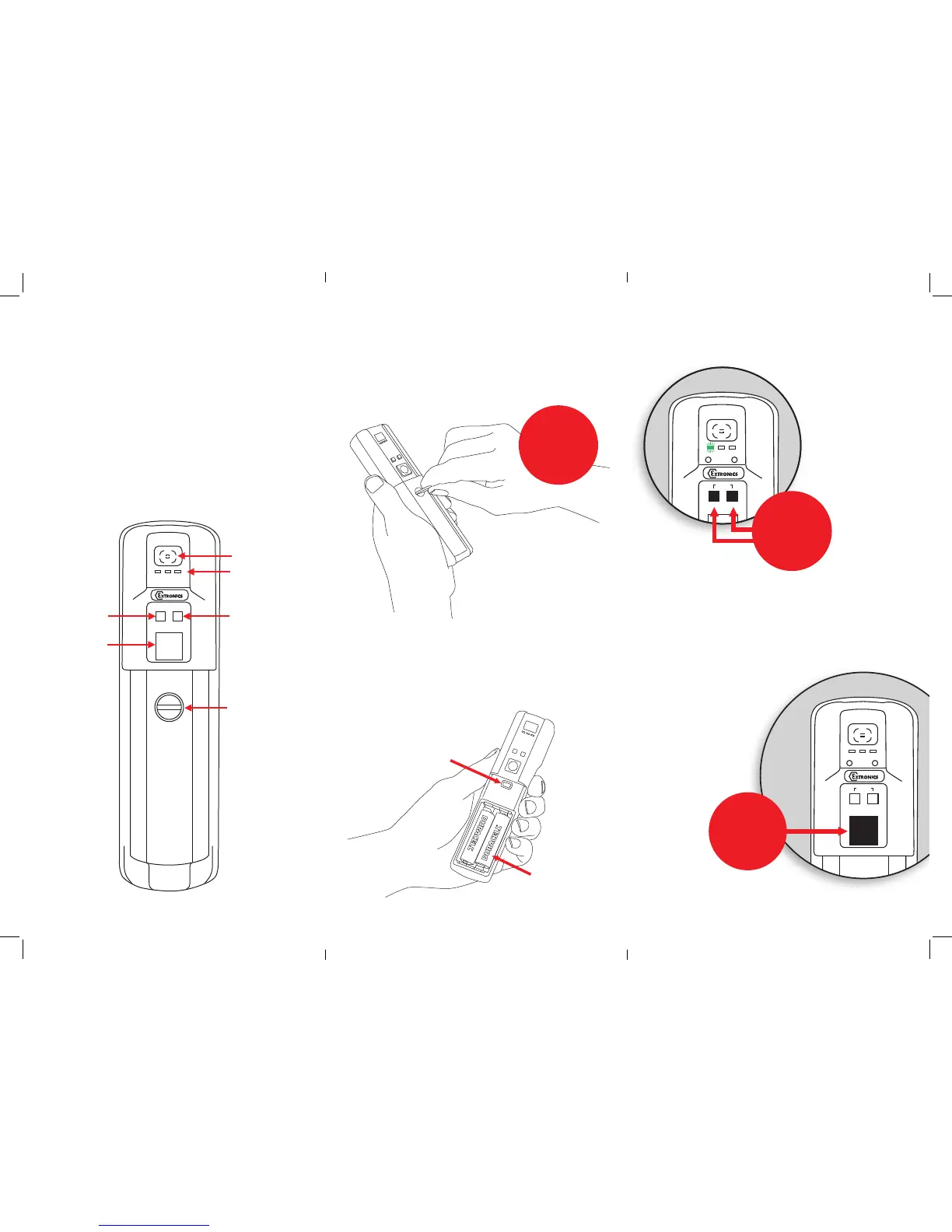
ON OFF
Press and
hold the
large square
button
Inserting the battery
Tochangeorinstallthebatteries
intheiCAM50x,turnthescrew
asindicatedbelowtoremovethe
cover
Installthebatteriesinthecorrect
orientation(indicatedonthe
enclosure)andclosethelid
again.PLEASE NOTE:Only those
batteries listed in the Safety
Instructions can be used.
Switching the camera
on and off
GreenLEDwillash
rapidlyfor~10
seconds&theBlue
andRedLEDwillash
briey.TheGreen
LEDthengoessolid
whenready.The
greenLEDashing
slowlyindicatesalow
batterylevel
Taking a picture
1.Pressandhold
picturebuttonuntil
greenLEDstarts
ashingrapidly.
2.WaitforgreenLED
tostopashingbefore
moving
Viewfinder
Function Lights
Record Button
Coin operated
access to battery
compartment
and USB port
Flash Button
Shutter Button
NB. When pressed
simultaneously the
Record and Flash
Buttons are also
used to switch the
camera on and off.
iCAM50x
Preparing for use
TheiCAM50xisshippedwithaprotectivelm
ttedtothefrontandrearwindows.Thisshould
becarefullyremovedbeforeuse.
TheiCAM50xmaybeusedwiththeprotective
rubberoverbootsupplied.Onlytherubber
overbootsuppliedbyExtronicsshouldbeused
asitismadefromelectrostatically-dissipative
material.
Open the
camera back
with a coin
USB Port
Battery
compartment
PictureButton


 To Previous Page
 Loading...